Copilot features you never set are turning on: check by October 26
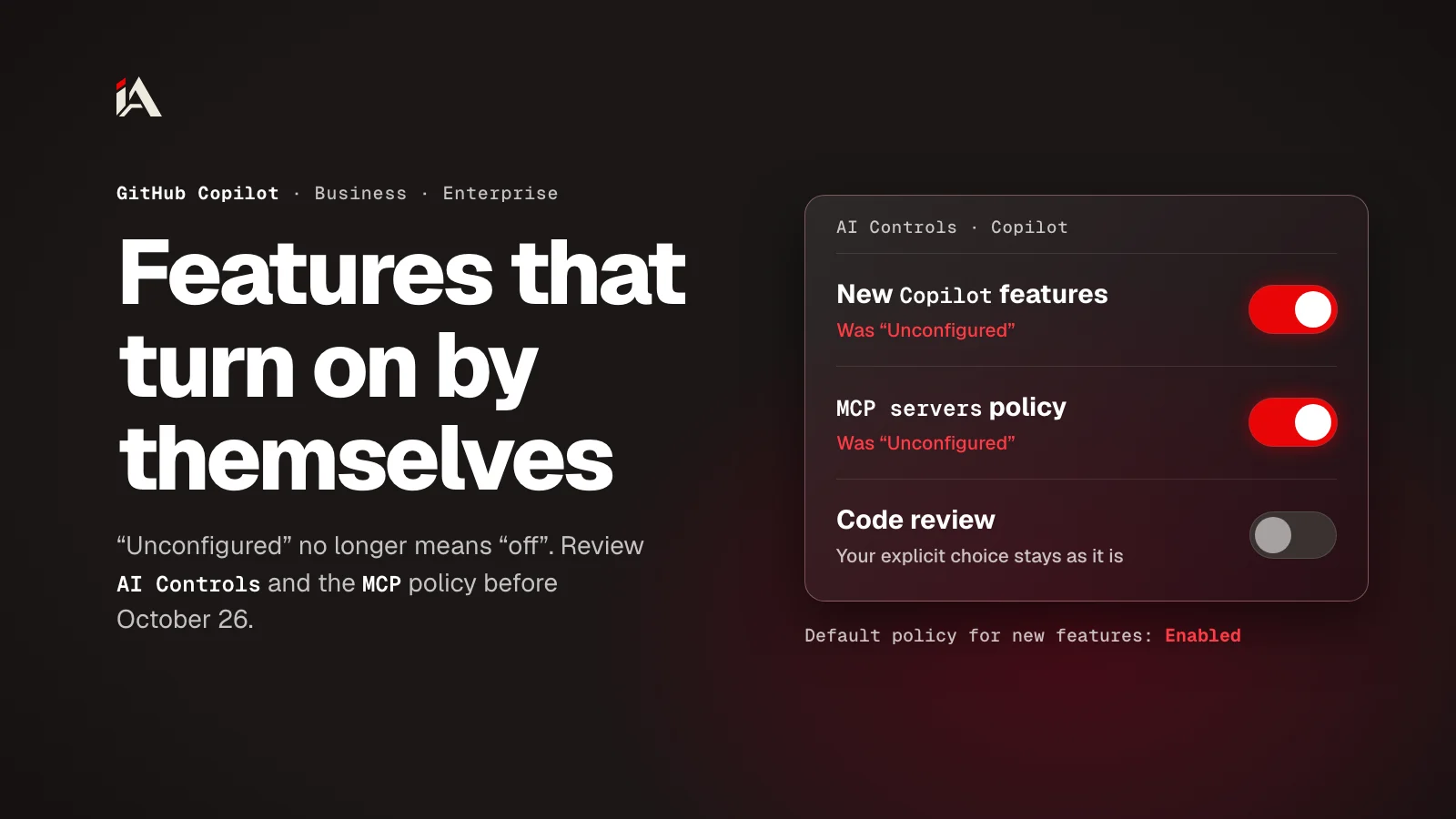
Since October 22, 2026, GitHub has been giving Copilot Business and Enterprise features left Unconfigured the value of the global default. If nobody picked a value, they turn on. Open AI Controls and decide before the rollout ends on October 26.
If you manage GitHub Copilot for a company on Copilot Business or Copilot Enterprise, you probably have features in your policy list that nobody has decided on yet. Since October 22, 2026, GitHub has been giving those features a value on its own, and the rollout runs in batches through October 26. By the end of this article you'll know what happens to each feature, and where to make the call yourself before the batch reaches your company.
What is GitHub changing in Copilot this week?
The global default is a single policy in AI Controls that decides what happens to generally available (GA) Copilot features that have no explicit decision. Since October 22, this policy has applied to Unconfigured features.
Date | What happened |
|---|---|
September 24, 2026 | GitHub announced the policy and gave admins 28 days to set it without any effect on users |
October 22, 2026 | Enforcement started |
Through October 26, 2026 | Gradual rollout, so it can reach one company before another |
The dates come from the September 24 post and the October 22 post on the GitHub changelog. So if nothing has changed in your settings yet, your batch may not have arrived, and now is your window.
What happens to a feature you left Unconfigured?
An Unconfigured feature takes the value of the global default, once. And if nobody picked a value for the global default itself, eligible Unconfigured features turn on.
That's what the announcement text says in the GitHub Community discussion that the changelog links to: "If no action is taken, eligible unconfigured features will be enabled."
The global default has three values, and each one does something different to current and future features:
Value | Current eligible features | Future eligible features |
|---|---|---|
Enabled | Become available to users on their own | Become available on their own |
Disabled | Stay unavailable | Need admin approval |
Let organizations decide | Each organization's admin enables or disables them | Same |
The key word in the October 22 post is "one-time": "This is a one-time change. Subsequent changes to the default policy won't change feature policies that are already set." So if a feature gets Enabled this week, and a week later you switch the global default to Disabled, the feature stays on until you turn it off by hand. So pick the global default before your batch reaches your company.
Which policies does the global default cover?
The global default covers the eligible policies on the "Features & clients" page, the "Copilot code review" policy on the "Agents" page, and the "MCP servers in Copilot" policy on the "MCP" page. Explicit decisions are kept, and preview features are left out.
GitHub's docs on default availability call the policy "Default policy for new features and clients" and separate two levels:
At the enterprise level, it applies to every feature marked "Unconfigured". If you choose "Enabled everywhere", the feature turns on for all your Copilot users and organizations can't turn it off.
At the organization level, it applies to features the enterprise left as "Let organizations decide" and the organization hasn't set.
The code review policy is worth a look if your team is still weighing AI code review tools. There's a comparison of AI Scan and Claude Code Review that can help you decide before the default decides for you.
Why does the MCP policy need its own look?
The "MCP servers in Copilot" policy is off out of the box, and it's part of the enforcement. So if it's Unconfigured in your settings and the global default is Enabled, it can turn on this week without anyone deciding.
MCP (Model Context Protocol) is an open standard for how applications give context to language models, and it lets Copilot connect to tools and data sources outside itself. GitHub's docs on MCP say it plainly: "The policy is disabled by default." They also say the policy only governs Business and Enterprise users.
Once this policy is on, your people can connect Copilot to MCP servers, and those servers reach tools and data. Before you turn it on, you need an answer: which servers are allowed, who runs them, and what they can reach. MCP config files are a target too: the same week, an npm worm in the testmetest packages was planting files like .cursor/mcp.json in its victims' repositories.
How do you review your Copilot settings before October 26?
The review takes five steps, all on your enterprise's AI Controls pages:
Open your enterprise on GitHub, click "AI controls" at the top, then Copilot in the sidebar. Find "Default policy for new features" and write down its current value before you change anything.
Pick the value that matches your decision. If you don't have time to go through every policy before your batch arrives, Disabled is the safer pick: current features stay off, future ones wait for your approval, and you turn on what you want one by one.
Open the "Features & clients" page (
github.com/enterprises/<your-enterprise>/ai-controls/copilot/features) and look for every policy marked "Unconfigured". Give each one an explicit Enabled or Disabled, because an explicit decision is kept.Open the "Agents" page and check "Copilot code review", then the "MCP" page and check "MCP servers in Copilot". Same thing: an explicit decision for each.
After October 26, go back to the same pages and compare them with the values you wrote down in step 1. Any feature that turned on when you didn't want it, turn off by hand, because changing the global default after enforcement won't undo it.
Copilot is changing under you in more than one place, like the models leaving Copilot and Codex, so reviewing AI Controls is now something you come back to with every new GitHub announcement.
What's your global default set to right now? If you don't know offhand, that's the first page to open today.
FAQ
If I change the global default after October 26, will the features change back on their own?
No. GitHub says this is a one-time change, and later changes to the global default won't change a feature policy that already has a value. Anything you want to change after that, you change feature by feature.
Will the choices I made myself change?
No. A feature you explicitly enabled or disabled keeps your choice. Enforcement only touches features whose state is Unconfigured.
Are preview features part of the change?
No. Preview features stay opt-in. And if you opted in to a preview feature that later becomes generally available, your choice stays as it is.
I'm on Copilot Free or Pro. Does this affect me?
No. The global default is a policy for Copilot Business and Copilot Enterprise plans, where an admin sets policies for the whole company from AI Controls.
Are there policies the global default doesn't touch?
Yes. According to GitHub's docs, the two policies that restrict Copilot to data residency or FedRAMP models on GHE.com, and the Store local sessions in the Cloud setting for Copilot CLI and VS Code, are left out.