A fetch call that never ends? Give it a timeout
Pass fetch a signal option, AbortSignal.timeout(5000), and the request stops after 5 seconds with a TimeoutError. If you also want a cancel button, combine both signals with AbortSignal.any.
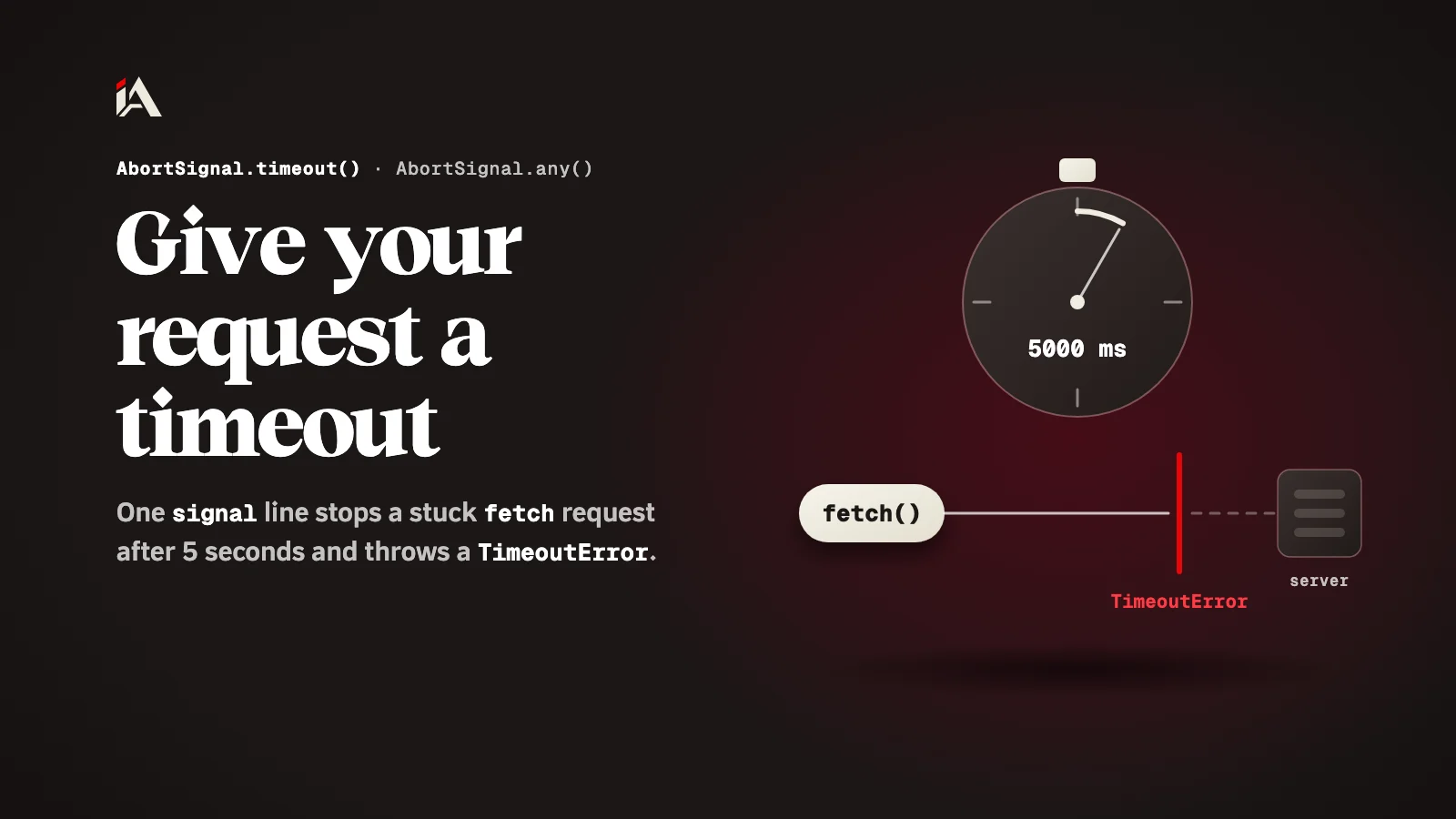
Your page asks another service for data, and that service hangs. It returns no error and no answer, and the user stares at a loading spinner that never stops. The cause is a single fetch line with no time limit. By the end of this article you will know how to give it a timeout in one line, and how to tell it apart from a user cancelling.
What is AbortSignal.timeout?
AbortSignal.timeout() is a method that returns an abort signal which aborts by itself after a number of milliseconds you choose.
According to MDN's page on AbortSignal.timeout(), the signal aborts with an error named TimeoutError when the time runs out. The feature has been available across browsers since April 2024. In Node.js, the globals documentation says it was added in v17.3.0 and v16.14.0.
Why does a fetch request hang?
A fetch request hangs because it waits for the other side to answer, and if you give it no abort signal, nothing tells it "enough, stop".
The mistake here is one of logic, not technique: we write the code assuming the service either answers or throws an error. But there is a third case, where the service does nothing at all, and that is the one we do not plan for. So the try/catch you wrote never gets an error, and the user keeps waiting.
How do you give a fetch request a timeout?
You give it a timeout by passing fetch a signal option set to AbortSignal.timeout() with the number of milliseconds.
try {
  const res = await fetch(url, { signal: AbortSignal.timeout(5000) });
  const data = await res.json();
  render(data);
} catch (err) {
  if (err.name === "TimeoutError") {
    showMessage("The service is slow. Try again.");
  } else if (err.name === "AbortError") {
    // the request was aborted another way
  } else {
    throw err;
  }
}
Here the request stops after 5000 milliseconds, so 5 seconds, as in MDN's own example. The difference between the two errors tells you what happened:
TimeoutError: the time ran out. This is the place for a "the service is slow, try again" message.AbortError: the request was aborted another way, such as the browser's stop button or closing the tab, per MDN's example.Any other error, such as a network problem, throw it back up and do not swallow it.
How do you combine the timeout with a cancel button?
You combine the timeout with a cancel button using AbortSignal.any(): you give it a list of signals, and it returns one signal that aborts as soon as any of them aborts.
const userCancel = new AbortController();
cancelButton.addEventListener("click", () => userCancel.abort());

const signal = AbortSignal.any([
  userCancel.signal,
  AbortSignal.timeout(5 * 60 * 1000),
]);

const res = await fetch(fileUrl, { signal });
This way the download stops if the user clicks the button, or if 5 minutes pass, whichever comes first. In the catch you tell them apart as above: AbortError for the button, and TimeoutError for the timeout. According to MDN's page on AbortSignal.any(), the method has been available across browsers since March 2024, and in Node.js it was added in v20.3.0 and v18.17.0.
Why did the timeout not fire on time?
The timeout counts active time, not elapsed time, so some time does not count.
MDN's page says the timeout is effectively paused if the code runs in a suspended worker, or while the page is in the bfcache (the cache that brings a page back when you press Back). So when you test the timeout, stay on the page instead of leaving it and coming back, or call a server that is slow on purpose.
Where do you start now?
Search your project for every fetch( with no signal, and start with the requests the page depends on: sign-in, payment, and the first data you show. Give them a timeout, and write a clear message for TimeoutError.
If the slow request ends up in your database, the timeout only protects the user: you find the cause when you read EXPLAIN ANALYZE. For other browser tools that save you a library, see also structuredClone for deep copies, and if you are planning what to learn next, the 2026 developer roadmap.
How many fetch calls without a timeout do you have right now in your sign-in flow?
FAQ
Does AbortSignal.timeout work in Node.js?
Yes. The Node docs say it was added in v17.3.0 and v16.14.0, and fetch itself became stable in v21.0.0, so you can use the same code as in the browser.
Why had the timeout not fired after I left the page and came back?
Because MDN says the timeout is based on active rather than elapsed time, so it is effectively paused while the code runs in a suspended worker or the page sits in the bfcache.
How long should the timeout be?
As long as the request needs. A small data request needs a few seconds, and a large download needs minutes. Measure how long the request usually takes for you, and set the timeout a little above it.