Jais 3: six open Arabic models (Apache 2.0) to test on your dialect
Jais 3 is six Arabic language models from 0.9B to 375B plus a speech model, tagged Apache 2.0 on Hugging Face with no sign-up gate. The license allows commercial work, and the numbers so far come only from the developers.
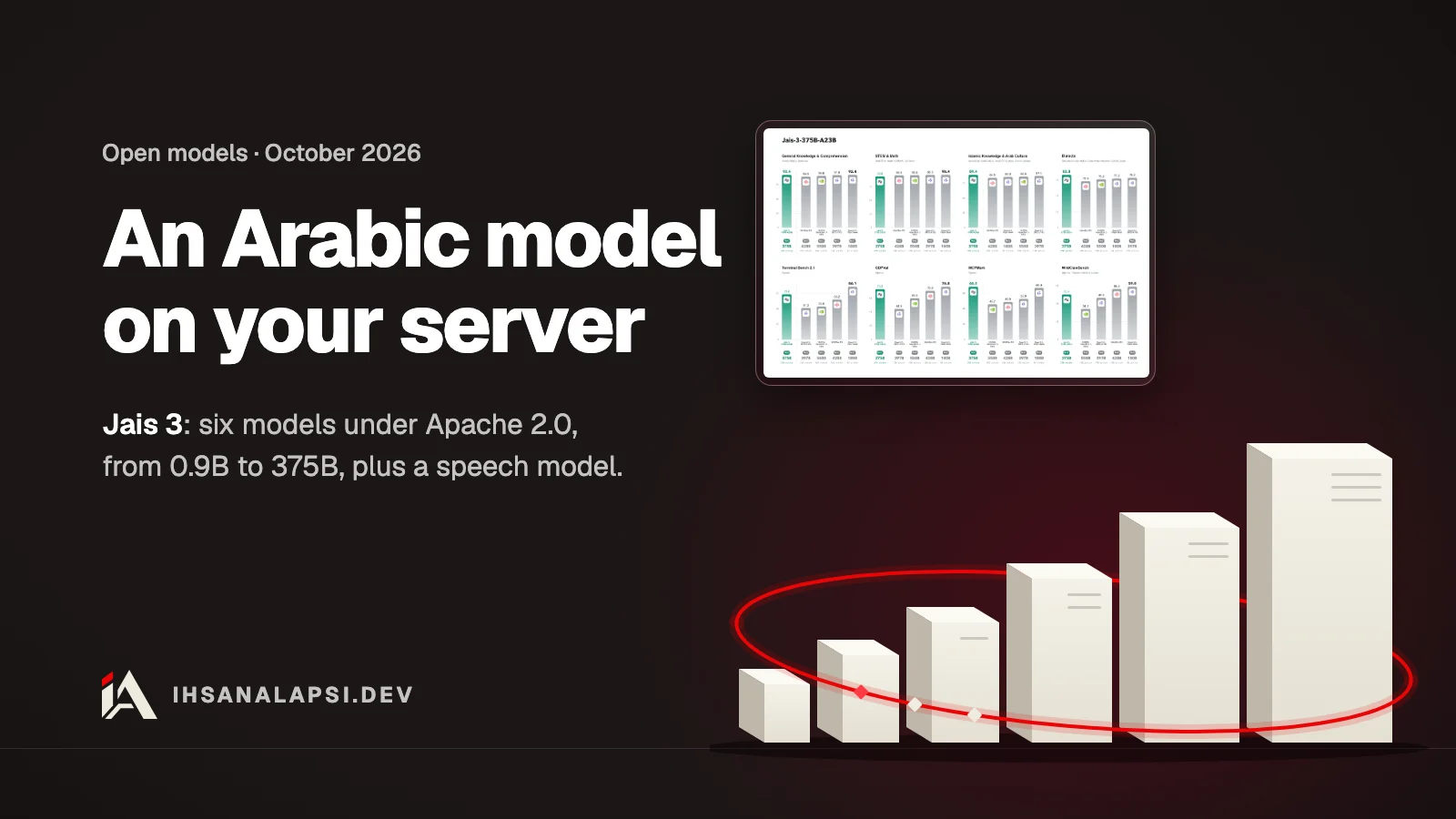
On October 15, 2026, the Institute of Foundation Models (IFM) at Mohamed bin Zayed University of Artificial Intelligence and the company Inception42 released the Jais 3 family of models, in partnership with Cerebras Systems (the announcement on Zawya). If you are building a product in Arabic, such as customer support or transcribing voice messages, these are Arabic models whose files you download and run on your own server. The six models are tagged Apache 2.0 on Hugging Face, and you can download them without a sign-up gate.
What exactly is Jais 3?
Jais 3 is a family of open-weight language models built for Arabic: six models from 0.9 billion to 375 billion parameters, plus a separate model that turns speech into text called Jais Speech. All of them are built on K2 Horizon, a family of open models the same institute released in September 2026.
"Open-weight" means the model files themselves can be downloaded, and you run them on your own machine or server instead of sending your data to someone else's API. Training covered Modern Standard Arabic and dialects including Emirati, Gulf and North African Arabic, according to Gulf News.
Here are the six as their cards describe them in the Jais 3 collection on Hugging Face, as of October 21, 2026:
Model | Type | Parameters | Context in its card | Hardware in the recipe they tested |
|---|---|---|---|---|
Jais-3-0.9B | dense | 0.9 billion | 128K tokens | One H100 card |
Jais-3-3.7B | dense | 3.7 billion | 512K | One H100 card |
Jais-3-7B | dense | 7 billion | 512K | One H100 card |
Jais-3-32B | dense | 32 billion | 512K | Two H100 cards |
Jais-3-MoVA-36B-A4B | MoE | 36 billion stored, 4 active | 512K | Two H100 cards |
Jais-3-375B-A23B | MoE | 375 billion stored, 23 active | 512K | 16 H100 cards on two servers, or one server with 8 H200 cards |
A token is a small piece of text, a word or part of one. A dense model runs in full for every token, while an MoE (Mixture of Experts) model is split into parts, and only some of them run for each token. In the largest one, for example, there are 375 billion parameters stored and only 23 billion active for each token.
The context window is how much text the model reads at once. The announcement says all six run with a 512K-token context, but the 0.9B card says 128K, and the card is what you go by when you run it.
Each model comes in five versions from its training stages: the default branch, main, and four branches called CPT, Cooldown, SFT and FTPO. The announcement says they are for researchers who want to continue from any stage. According to the cards, you run them with vLLM 0.30.0 or later, or SGLang 0.5.20 or later, and the institute also released GGUF versions for llama.cpp and MLX versions for Macs.
Can I use Jais 3 in a commercial project?
According to the declared license, yes. Each of the six models is tagged apache-2.0 on Hugging Face and downloads without a sign-up gate, and the Apache 2.0 license gives you the right to use, modify, distribute and sell, with clear conditions when you distribute the model.
But before you write "commercial use allowed" in a contract or a proposal to a client, know exactly what is in the repositories, as of October 21, 2026:
The license is written in the license field of each model's card. The Hugging Face documentation says this is how a repository owner declares their license.
None of the six repositories has a LICENSE file with the license text. The text itself is published on the Apache website, so read it there.
The Jais Speech card says it in plain words: the weights are published under Apache 2.0.
The Uno speed add-ons for the 0.9B, 3.7B, 7B and 32B sizes have no license tag at all, so treat their license as unclear until a tag is added. Uno is a small adapter that speeds up generation, about 1.5 times in the 0.9B version according to its card.
The Jais 2 models are still behind an access gate on Hugging Face, and Jais 3 downloads without a gate.
The Apache 2.0 text gives you, in section 2, the right to copy, modify and distribute, and in section 3 a patent right to use and sell. When you distribute the model or a modified version of it, section 4 requires you to include a copy of the license, mark the files you changed, and keep the copyright notices. And section 6 does not give you the right to use the model owners' trade name except to say where the work comes from, so do not name your product Jais.
The card (not the license) lists four uses as out of scope:
Harmful use, such as hate content or deliberate disinformation.
Generating, detecting or inferring sensitive information about individuals or organizations.
Any application that depends on reliable performance in a language other than Arabic and English.
Medical, legal or financial decisions, or decisions that affect safety, without human oversight.
It also says the model can produce wrong or made-up information. And the license itself, in section 7, provides it "AS IS" with no warranty. So if your product is medical, legal or financial, have a person review the answer before it reaches the customer. And if you will sell the model itself or a modified version to clients, have a lawyer read the text before you sign.
Which Jais 3 size fits your hardware?
Start with the 0.9B or the 7B: their cards run them on one H100 card, and they have MLX and GGUF versions you can try on your own machine. The 375B needs 16 H100 cards with 80 GB of memory on two servers, or one server with 8 H200 cards.
On mobile, the announcement says the 0.9B is small enough to run on a phone, but no card includes a test on a phone. The closest published numbers are measurements of the MLX versions on an Apple M4 Max, from their cards:
Version | On disk | Peak memory on a short prompt | Speed |
|---|---|---|---|
Jais-3-0.9B MLX 4-bit | 0.9 GB | 1.0 GB | 384.3 tokens per second |
Jais-3-0.9B MLX 8-bit | 1.1 GB | 1.2 GB | 310.5 tokens per second |
Jais-3-7B MLX 4-bit | 7.2 GB | 7.4 GB | 70.4 tokens per second |
Jais-3-7B MLX 8-bit | 9.6 GB | 9.8 GB | 52.7 tokens per second |
The card itself says that the KV cache, the calculations the model keeps for every token it has read so it does not have to compute them again, grows with the length of the context. So a long document needs more memory than the table shows. The Jais-3-7B version in GGUF Q4_K_M format is a 5.59 GB file, and its card gives no memory figure.
In order, based on the hardware you have:
A Mac with enough memory per the table: 0.9B or 7B in the MLX version, for testing and light work.
A server with one H100 card: up to 7B in BF16 precision, as in the card's recipe.
A server with two cards: 32B or MoVA-36B-A4B.
Two servers with 8 H100 cards each, or one server with 8 H200 cards: the 375B, which also has an FP8 version called IFM/Jais-3-375B-A23B-FP8.
What does Jais Speech do, and does it understand Levantine Arabic?
Jais Speech turns spoken Arabic into text, in Modern Standard Arabic and in the dialects of 19 countries. The dialect codes in its card include Syrian, Lebanese, Jordanian and Palestinian, and with each text it returns the name of the language or dialect it heard.
Its name on Hugging Face is IFM/Jais-ASR, and its card says it is built on Jais-3-4B (a model not published on its own, and not one of the six in the table). These are its main options, from the card:
code_switch=True keeps English or French words in their original spelling when the speaker mixes languages, and the card adds Spanish and Italian to them.
diacritics=True adds diacritics (tashkeel) to the Arabic text, and you can run it together with the previous option.
language fixes the language if you already know it: ar for Modern Standard Arabic and all dialects, msa for Modern Standard Arabic only, or a country code such as SY or LB.
If the recording has no speech, such as music or noise, it returns [IFM-NoTranscript] with refused=True instead of making up text.
The weights are 11.4 GB in bf16 precision, and the card says to plan for about 12 GB of GPU memory. This is how you run it according to the card, after pip install 'transformers==5.16.1' accelerate soundfile soxr:
import torch
from transformers import pipeline

asr = pipeline(
    "automatic-speech-recognition",
    model="IFM/Jais-ASR",
    trust_remote_code=True,
    device_map="auto",
    dtype=torch.bfloat16,
)
result = asr("speech.wav", max_new_tokens=256)
print(result["text"])
For a server, it comes with a vLLM plugin that opens an OpenAI-style endpoint at /v1/audio/transcriptions. But the card asks you to install it in its own environment, with vllm==0.23.0 and transformers==5.5.4, separate from the environment for the six models (vLLM 0.30.0 or later) and from the pipeline environment above.
On accuracy, IFM measured the Jais-ASR figure with the evaluation script of the Open Universal Arabic ASR Leaderboard: a word error rate of 22.85% and a character error rate of 8.37%, averaged over six test sets, according to the Jais-ASR card. It also measured the Speechmatics and ElevenLabs figures itself for comparison, and the figures for the other open models come from the leaderboard. In the same table, on the Casablanca set of conversations in eight dialects, the word error rate is 46.56%, meaning roughly one wrong word in every two, and Speechmatics scored 46.41% on the same set. This is the figure closest to your customers' voice messages, and there is no figure for Levantine Arabic on its own.
How far can you trust the Jais 3 numbers?
As of October 21, 2026, a search for an independent evaluation of Jais 3 finds nothing published, so every number below comes from the developers. They tested the models on 24 Arabic benchmarks, and at 7B the average Arabic score rose from 56.4 in base K2 Horizon to 79.6 in Jais 3, by their own evaluations.
The newsletter Middle East AI News flagged the same point on launch day. On Hugging Face, IFM published a collection called Arabic-Benchmark-Auditing with cleaned versions or filters of 15 well-known Arabic benchmarks, from which they removed flawed questions through a review by 3 judge models. It comes with a file listing every removed sample and the models' verdict on it, so you can check what was removed and why. And three of their benchmarks (Arabic IFBench, Arabic Cuisine and Arabic Linguistics) will be released soon, according to the cards.
Even by their own numbers, the largest model is not first at everything. Here is a sample from the table in the Jais-3-375B-A23B card:
Benchmark | Jais-3-375B-A23B | Top score in the comparison |
|---|---|---|
Dialect identification (QADI) | 71.1 | 71.1, the same model |
Belebele | 95.6 | 95.6, the same model |
AraGen v3 | 72.4 | 78.9 for Qwen3.5-397B-A17B |
Terminal Bench 2.1 | 73.8 | 86.1 for Qwen3.8-Flash-Next |
SWE-Bench Verified (Offline) | 70.2 | 80.8 for Qwen3.8-Flash-Next |
All the published results were measured with reasoning_effort set to high, meaning the model thinks before it answers, and the card recommends leaving room for at least 32,768 tokens in the response. That affects time and cost in a real product, so measure it in your own test.
How do you test Jais 3 on your dialect before relying on it?
Prepare a small set of questions from your real work in your customers' dialect, run a small version on your machine, and compare its answers with the model you use now on the same questions. That way you know whether it fits you before you pay for a server.
Write 20 questions from your work: real customer messages, support questions, or texts you want summarized. If the messages are real, remove the first name, phone number, order number and anything else that points to the sender, because you will run them through code and a model you are still testing. Next to each question, put the right answer as you would write it.
Pin the code version and read it before you run anything. The MLX version runs a
k2_horizon.pyfile from its repository, because mlx-lm does not support the architecture yet, and with Transformers or vLLM the card asks fortrust_remote_code, so code from the original repository runs, such asmodeling_k2_horizon.py. That means Python code from the internet on your machine, and the Transformers documentation advises loading it from a specific commit so the code does not change under you. For the MLX version, take the commit from thetargetCommitfield in the first command, put it in place ofCOMMITin the second, and then readk2_horizon.pyin the folder:curl -s https://huggingface.co/api/models/IFM/Jais-3-0.9B-MLX-4bit/refs hf download IFM/Jais-3-0.9B-MLX-4bit --revision COMMIT --local-dir jais-3-0.9b-mlxThe GGUF version on llama.cpp, on the other hand, has no Python code from the repository, and does not need
trust_remote_code.Run the small version. On a Mac, this is the MLX card's command on the folder you downloaded, with
--trust-remote-codebecause the code comes from the repository:pip install -U mlx-lm mlx_lm.generate --model jais-3-0.9b-mlx --trust-remote-code --prompt "ما هي عاصمة الإمارات؟" --max-tokens 32768The card's example uses
--max-tokens 2048, but the model thinks before it answers and the card itself says to leave room for that thinking, so with a small number the answer can get cut off in the middle of the thinking. That is why the command above uses 32768, as the cards recommend.On an NVIDIA card, the GGUF card asks for a recent version of llama.cpp: K2 Horizon support was merged in PR 29535, and the card says to build it yourself from the master branch or wait for the next official release. Download the code first, then build the server and run it as the card shows:
git clone https://github.com/ggml-org/llama.cpp
cd llama.cpp
cmake -B build -DGGML_CUDA=ON
cmake --build build -j --target llama-server
./build/bin/llama-server -hf IFM/Jais-3-0.9B-GGUF:Q8_0 --jinja -ngl 99 -c 32768
Use the card's settings: reasoning_effort at high, temperature at 0.7 for Arabic in thinking mode, and top_p at 0.95. The card also allows medium and low for a faster test, but with any other settings your numbers cannot be compared with theirs.
Compare. Run the same questions through the model you use now, mark each answer right or wrong, and record how long it took. At the end you have a number from your own work.
For speech: record 10 voice messages in your customers' dialect, with their consent, and run them through Jais Speech. Check whether the text is right, and whether the dialect it returns is the right one.
Where do you start now?
Download Jais-3-0.9B in the MLX or GGUF version, and try the first 10 questions from your list on it today. If the answers fall short of what you need, run the same questions on the 7B before you think about a bigger server. And if they do, measure speed and cost on the 0.9B and stay with it.
Once you connect Jais 3 to your platform, you have an AI feature that takes text from your customers and returns an answer to them, so test it before launch like any feature that accepts input from outside. Muhassan checks, as part of its scope, whether the AI features on your platform open a back door.
And if you work with a coding agent like Claude Code, the AI skills section has skills you add to your project.
And if you are still choosing your path, the Developer Roadmap 2026 covers where AI fits into it.
What is the first question from your work that you will put to Jais 3?
FAQ
Is Jais 3 free?
Yes, the weights download from Hugging Face at no cost and with no sign-up gate. The real cost is the hardware you run it on: the small one runs on a Mac according to its card's measurements, and the large one needs servers with H100 or H200 cards.
Does Jais 3 run on mobile?
Not confirmed. The developers say the 0.9B model is small enough for mobile, but no model card includes a test on a phone as of October 21, 2026. The closest published figure: the MLX 4-bit version peaks at 1.0 GB of memory on a short prompt on an Apple M4 Max.
What is the difference between Jais 3 and Jais 2?
Jais 2 is behind an access gate on Hugging Face that you must accept before downloading, and its card says it was trained from scratch on Arabic and English. Jais 3 downloads with no gate, is built on K2 Horizon, and comes with a speech recognition model.
Can I name my product Jais if I use it?
No. Section 6 of the Apache 2.0 license does not give you the right to use the model owners' trade name, except in the usual way when you say where the work comes from. So you can say your product runs on Jais 3, but you cannot call it Jais. And if you want to use the name in your marketing, have a lawyer read the text.
Does Jais 3 speak English too?
Yes. The card says the model is for Arabic and English, and treats as out of scope any application that depends on reliable performance in a language other than Arabic and English. If your product needs French or Turkish, for example, test first or look for another model.