Someone found a hole in your site. How do they reach you?
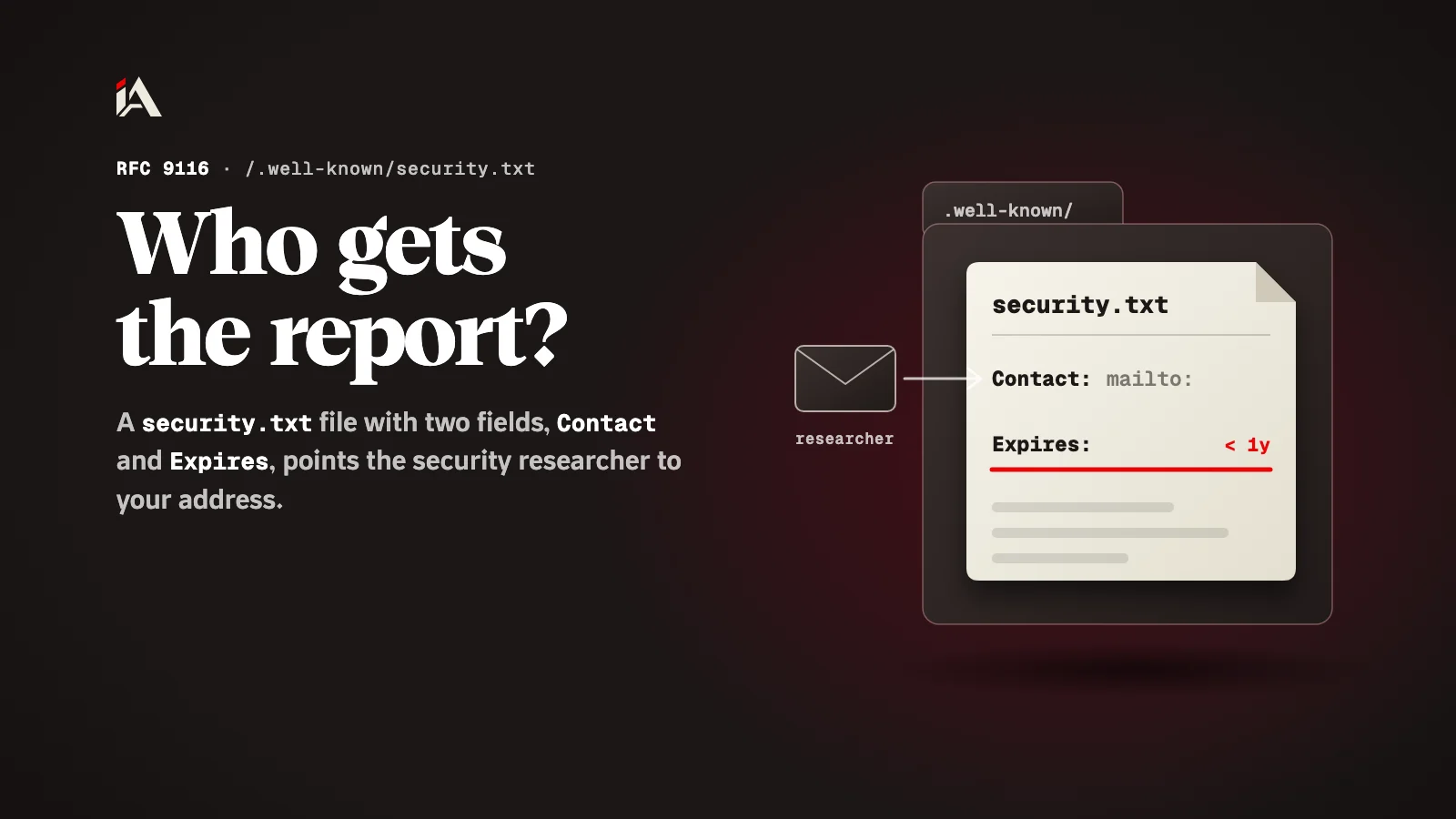
security.txt is a small text file at /.well-known/security.txt that tells a security researcher where to send the hole they found. Two fields are required, Contact and Expires, and the rest are optional.
A security researcher found a hole in your site today and wants to tell you before someone else finds it. They look for an address and find only a "Contact us" form that goes to sales. By the end of this article you will have a small text file that fixes this, written and checked in one sitting.
What is a security.txt file?
security.txt is a plain text file that sits at a fixed place on your site and tells a security researcher where to send the hole they found.
The file is defined in the RFC 9116 specification, published in April 2022 as "A File Format to Aid in Security Vulnerability Disclosure". The idea is simple: every site puts the same file in the same place, so the researcher does not have to guess.
Why do reports get lost without it?
Reports get lost because the person who found the hole does not know you, and there is no agreed place to look for your address.
The mistake here is not technical. A company spends on protection and forgets that the first person to find a problem may be a well-meaning stranger. That stranger has few choices: write to support and wait, post about it in public, or drop it. In the last two cases you are the last to know.
A stale file is a second mistake. The address of someone who left, or an inbox nobody opens, is worse than no address: the researcher sends the report and thinks you know.
Where does the file go, and how must it be served?
The file goes at the path /.well-known/security.txt on your domain, served over HTTPS as plain text.
The spec asks for three things when serving it:
The path is under
/.well-known/, sohttps://example.com/.well-known/security.txt.The file is accessed with
https, not http.The content type is
text/plainwithcharset=utf-8.
If you have more than one domain (the site, the API, the admin panel), put the file on each one that takes visitors.
What must the file contain?
The file must contain two fields only: Contact and Expires. Every other field is optional.
This is the smallest valid file:
Contact: mailto:security@example.com
Expires: YYYY-MM-DDThh:mm:ssZ
Replace YYYY-MM-DDThh:mm:ssZ with a real date and time.
Contact is the address that gets the reports, and it must always be there. It takes an email with
mailto:, a phone number withtel:, or a page withhttps:. If you add more than one Contact line, the order is the order of preference.Expires is the date after which the file should no longer be trusted, and it must appear only once. The spec recommends it be less than a year into the future, so no stale file stays up.
After that you can add optional fields, depending on what you have:
Field | What it gives the researcher |
|---|---|
Policy | A link to your disclosure policy: what they may test and what they may not |
Encryption | A link to the key they can use to write to you securely (the link only, not the key itself) |
Preferred-Languages | The languages you prefer for reports |
Canonical | The official address of the file itself |
Acknowledgments | A page where you thank researchers |
Hiring | Your security jobs |
If you leave out Preferred-Languages, the researcher will assume you read English. So if your team prefers Arabic, write it: Preferred-Languages: ar, en.
How do you write and check it today?
You write the file in two lines and check it with two requests from the Terminal.
Set up a security email address that more than one person on your team reads. If you have no team, have it reach your own inbox, under a fixed name.
Write the file with the two fields, and set Expires to less than a year from today.
Upload it to
/.well-known/security.txt. If your site serves static files from apublicfolder, put it inpublic/.well-known/.Check it:
curl -sI https://example.com/.well-known/security.txt
curl -s https://example.com/.well-known/security.txt
In the first request, look for the content-type line: it must be text/plain with charset=utf-8. The second must print the file itself, not an HTML page of your site. That happens a lot on sites that send every unknown path to the home page.
Put a calendar reminder a month before the Expires date, to renew it and make sure the address still reaches someone.
Where do you start now?
Start with the email address: it is the only decision that takes thought, and the rest is a two-line file. Then upload the file and check it with curl.
The file opens the door, but what happens next is up to you: a fast reply and a thank-you make the researcher report to you again next time. If you are sorting out your site's security from the start, go on with setting up HSTS the right way and checking your session cookie. And if you want someone to look for the holes before a stranger finds them, that is what Muhassan does.
Who on your team will read the security inbox the moment a report lands?
FAQ
Does security.txt protect my site from attacks?
No. It is only an address: it lets whoever found a hole reach you fast, instead of the report getting lost or posted in public. The protection itself stays in your code and settings.
What happens when the Expires date passes?
The file goes stale, and the researcher cannot tell whether the address still reaches anyone. Set a date less than a year ahead, as the spec recommends, and set a reminder to renew it before it runs out.
Do I need a bug bounty program first?
No. The only field required besides Expires is Contact. A disclosure policy and a thanks page are optional fields you can add later.
Should I put my personal email in Contact?
Better a dedicated security address that more than one person reads, like security at your domain. A personal inbox gets buried, and it stops working when its owner changes jobs.