WordPress 7.2 Beta 1: API key storage and browser image compression
WordPress 7.2 gives plugins an official way to store API keys encrypted instead of as plain text, and lets the browser prepare images before upload. Try Beta 1 on staging only.
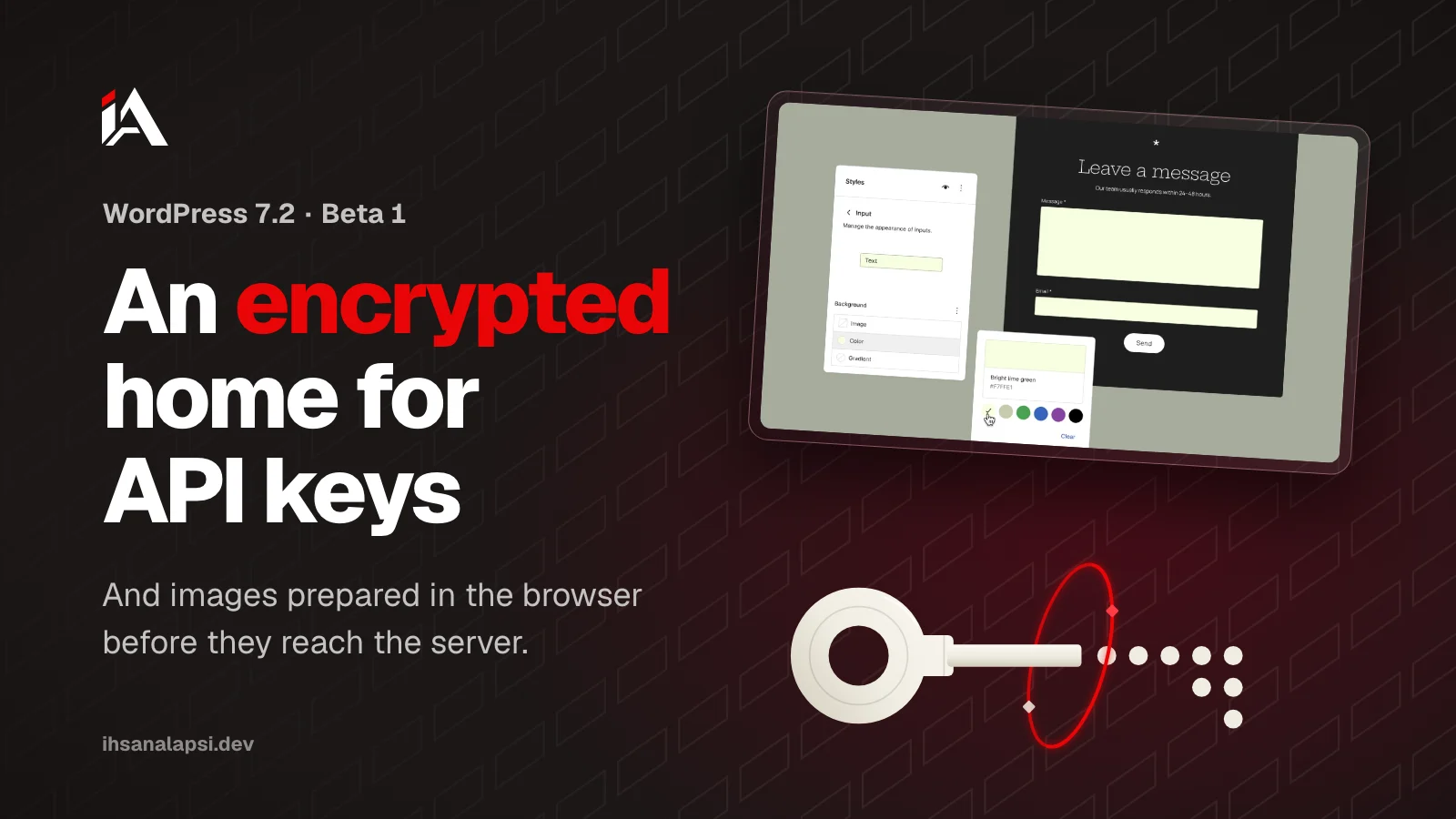
The first test release of WordPress 7.2 came out on October 20, 2026. If you run a WordPress site or write plugins, two changes touch you directly: an official, encrypted place for secret keys, and images that get prepared in the browser before they reach the server.
Where have WordPress plugins been storing API keys until now?
Most WordPress plugins have stored API keys as plain text in the options table, because core had no other place for them. The options table (wp_options) is where WordPress saves the site's settings, from the site name and tagline to each plugin's settings.
The Secrets API proposal that Eric Mann published on the core team blog on August 25, 2026 explains the result: the key shows up in every copy of the database, in backups, and in every staging copy (an exact copy of your site kept away from visitors). And the plugins that solved the problem each solved it on their own: Site Kit, for example, encrypts Google keys its own way, and WooCommerce payment gateways and email plugins each have their own approach, so each one has to be checked on its own.
According to the proposal, connecting sites to AI services has increased the number of keys and made losing them more expensive: a leaked model provider key gets billed by usage.
What is the Secrets API in WordPress 7.2?
The Secrets API is a new programming interface in WordPress 7.2 core that gives plugins one place to store secret keys encrypted, like API keys and tokens, instead of saving them as plain text in the options table.
The feature landed in core on October 13, 2026 in changeset 64337, which closed ticket #66187. According to the commit message and the Beta 1 code:
Encryption is always on, using libsodium (an encryption library that comes with PHP), and no setting turns it off.
By default, keys are saved in the options table itself, but as encrypted text.
The encryption key never goes into the database: it comes from the
WP_SECRETS_KEYconstant inwp-config.php, and if that isn't defined, WordPress derives it fromLOGGED_IN_KEYandLOGGED_IN_SALT.Each secret keeps its previous version, so you can rotate it to a new key without breaking the code that reads it.
A host can add a
wp-content/secrets.phpfile that sends storage to an external secrets manager, or fetches the encryption key from a key management service (KMS). If that file is broken, every call returns an error, and there is no silent fallback to local storage.There is a new capability called
manage_secretsfor administrators, andmanage_network_secretsfor the network admin, along with new Site Health checks.
The screen for managing keys is postponed to 7.3, and the WP-CLI commands stayed in the feature plugin outside core. So a site owner won't see anything new in the dashboard except the Site Health checks, and the real change is in plugin code.
How does your plugin store an API key with the Secrets API?
The plugin stores the key with wp_set_secret() and reads it with wp_get_secret(). Reading returns one of three results that your code has to tell apart: the key exists, it doesn't exist, or it exists and can't be decrypted.
This example is from the proposal itself, and the functions have the same names in wp-includes/secrets.php in Beta 1:
wp_set_secret( 'my-plugin/api-key', $key_from_form );

$secret = wp_get_secret( 'my-plugin/api-key' );

if ( is_wp_error( $secret ) ) {
    // Exists, but unusable. Key material changed. Tell the user.
} elseif ( null === $secret ) {
    // Doesn't exist. Show the connect flow.
} else {
    $client = new API_Client( $secret->reveal() );
}
What to watch for as you write it:
The key name uses the format
plugin-slug/secret-name: lowercase English letters, numbers,-and_, with one slash between the plugin name and the key name. A name without the plugin name passes with a_doing_it_wrongwarning, because two plugins could both pickapi-keyand one would overwrite the other.wp_get_secret()returns aWP_Secretobject, and the real value only comes out throughreveal(). If you print the object, write it to a log, or convert it to JSON, you get[secret:{name}]instead of the value.wp_set_secret()doesn't check the user's capabilities, because it has to work from cron, the REST API, and pages where nobody is logged in. So the check is your job in the settings form:current_user_can()and a nonce before you store anything.If your plugin still supports versions older than 7.2, check
function_exists( 'wp_set_secret' )before the call, and keep the old path for sites that haven't updated.
And if you want something to review these checks in your code, the Security Skill Pack is still being prepared: skills that review your project's code and warn you about permission flaws before you deploy.
If your plugin has an old key in the options table
wp_import_option_as_secret() reads the value from the old option and stores it encrypted, and marks the key as needing rotation. The old option stays as it is:
wp_import_option_as_secret( 'my_plugin_api_key', 'my-plugin/api-key' );WordPress won't search the options table and migrate keys on its own, because core can't tell which option is a secret key. So the order is up to you: move the key, confirm that wp_get_secret() returns it, then delete the old option. After that, ask the site owner to create a new key with the same service: the proposal points out that the old key is already in every backup made before, and encrypting it now doesn't remove it from there.
What does the Secrets API protect, and what doesn't it?
The Secrets API protects secret keys if someone steals a copy of the database or a backup, or if a SQL injection flaw reads the options table. It doesn't protect against malicious code running inside WordPress itself.
The proposal is clear on this point: any code running as part of WordPress can call wp_get_secret(), the same way it can read wp-config.php. The plugin name at the start of the key name is there for order, and it doesn't stop another plugin from requesting your key. So a hacked or fake plugin on your site can reach the keys the same as before. What changed is that a stolen database is worth less, and according to the proposal, database theft is far more common than malicious code running inside WordPress.
If you own the site, define WP_SECRETS_KEY in wp-config.php before you store any secret. Without it, the encryption key is derived from LOGGED_IN_KEY and LOGGED_IN_SALT, and Site Health in Beta 1 tells you the site is running on a fallback key and that this isn't the recommended setup. The code recommends 32 random bytes written in base64, and this command gives you one:
openssl rand -base64 32Keep the value in wp-config.php, outside any git repository, and save a copy in a password manager or somewhere separate from your database backups. You need it when you restore a backup, but if it sits next to the backup, whoever steals the backup steals the key with it.
And if some keys can no longer be decrypted, Site Health lists them by name and says there is no way to recover their values, and that this happens if WP_SECRETS_KEY is lost, a backup is restored without its key, or key rotation fails. In that case you have to enter those keys again.
After that, ask the developers of the plugins that store keys on your site (payments, email, and AI services) when they will move to the Secrets API. And if your site handles payments or customer data and you want to know how far an attacker could get, Muhassan's penetration testing and hardening tests your platform the way an attacker would and hands you a fix plan.
How does in-browser image processing take load off shared hosting?
In WordPress 7.2 the browser creates the different image sizes, compresses them, and converts their format before upload, so the server doesn't spend memory and CPU on that work. This processing now reaches the media library, after being limited to the block editor.
WordPress makes several sizes of every image you upload (thumbnail, medium and large) so it can show the right size in each place. PHP used to do this work on the server with the GD or Imagick library, and the core team's note on WordPress 7.1 says this work is one of the most common reasons PHP gets cut off by time or memory limits on shared hosting.
In 7.1 the browser started doing this work in the block editor with the wasm-vips library. In 7.2 it reached the media library grid view, the Add New Media File screen, and the media modal in the editor, according to changeset 64588, which closed ticket #65661. And 7.2 also fixed a problem from 2014 (#28474): resized versions of animated GIF and WebP images now stay animated.
Before you rely on it, know its limits:
Full processing works in Chromium-based browsers (Chrome, Edge and others) from version 137, and in Chrome on Android from 146. In Firefox and Safari, WordPress falls back to processing on the server, and the person uploading notices no difference.
Before it starts, the browser checks the device: more than 2 GB of memory (because processing can use up memory on weak devices), at least two cores (one for processing and one for the interface), and a connection faster than 2G without data saver mode (Save-Data), because the processing file is about 13 MB. If any check fails, the upload falls back to the server.
The upload itself gets heavier, because the browser uploads the original image along with all the sizes. What you gain is server memory and CPU.
The Customizer, the site icon picker, and the classic editor stay on the old upload, along with JPEG and PNG images when plupload resizing is on.
On security, the 7.1 note says the server still checks every uploaded file: its type, its dimensions, and the uploader's permissions. But the same note mentions an exception: if the server's image editor doesn't support AVIF, AVIF images that the browser decoded pass without a type check.
If your plugin works with images
The
wp_image_editors,image_memory_limitandimage_make_intermediate_sizefilters don't run when the image is processed in the browser, because there is no image editor on the server.The
wp_generate_attachment_metadatafilter runs twice: with'create'at upload, and with'update'after the sizes are done. Write your code to handle both.If your plugin sets a Content Security Policy,
worker-srchas to allowblob:.
To turn off in-browser processing and go back to the server:
add_filter( 'wp_client_side_media_processing_enabled', '__return_false' );What else is in WordPress 7.2 Beta 1?
Besides keys and images, WordPress 7.2 has improvements in the editor and the dashboard, and four of them touch site owners and theme developers directly: Notes, form styling, text shadow, and a faster dashboard.
Feature | What it does |
|---|---|
Now sit in the editor margin next to the text, open alongside the block settings at the same time, and come with emoji reactions and a compact mode | |
Style buttons, text fields, dropdowns and field labels from Global Styles, without CSS and without editing | |
Text shadow | A new control in block settings, and themes can define ready-made shadows (presets) in |
Faster dashboard | JavaScript and CSS files now load one by one so the browser caches them better, and there is preloading for the files of the screen you will most likely open next |
For plugin developers, on the last item: file concatenation through load-scripts.php and load-styles.php was removed, the CONCATENATE_SCRIPTS constant is no longer read, and both files now return 410 in Beta 1. If your code depends on concatenation, test it now.
How do you try WordPress 7.2 Beta 1 without breaking your site?
Try WordPress 7.2 Beta 1 on a staging copy or a local site, not on your live site: the official announcement says the release is for testing and development only. The final release is scheduled for December 8, 2026.
If you use WP-CLI, this command updates the staging copy to Beta 1:
wp core update --version=7.2-beta1Make a staging copy of your site, or a local site with Local or wp-env. If you don't know how, your host can help.
Update the copy to Beta 1 with the command above, or with the WordPress Beta Tester plugin using the Bleeding edge channel and the Beta/RC Only option. And if you only want to look around, WordPress Playground runs it in the browser with no install.
Open Site Health from the Tools menu, and look at the Secrets API checks in the Status tab and the encryption details in the Info tab.
Upload images from the media library in Chrome, then in Safari or Firefox, and confirm the upload worked and the sizes were created in both cases.
Test your plugins, your theme and the site's forms, and watch the error log and the browser console.
Report any problem in the Alpha/Beta section of the support forums, or open a ticket on Trac if you can reproduce it step by step.
According to the release schedule, Beta 2 is on October 27 and the first RC on November 17, and the schedule calls itself a proposal. The full checklist for each feature is in the test team's call for testing WordPress 7.2, and the call says December 9 for the final release, but the official announcement and the schedule say the 8th.
Once your site is running on 7.2, if you want it to show up in ChatGPT and Gemini answers, the AI SEO Guide walks you through the work that helps answer engines understand it and quote it.
Which plugin on your site will you open first to see where it hides its key?
FAQ
When will the final WordPress 7.2 release come out?
December 8, 2026, according to the official Beta 1 announcement and the release schedule on the core team blog. Before that come more Beta and RC releases, and each one is for testing only.
Will my current plugins move their keys to the Secrets API on their own?
No. WordPress doesn't search the options table or migrate anything on its own, because core can't tell which option is a secret key. Each plugin has to move its own keys, so ask the plugin's developer when they will do it.
What happens to my encrypted keys if I change LOGGED_IN_KEY and LOGGED_IN_SALT?
If you haven't defined WP_SECRETS_KEY, the encryption key is derived from those two values, so changing them means the encrypted keys can no longer be decrypted. Site Health lists the keys that failed to decrypt, and there is no way to recover their values: you have to enter them again.
Does in-browser image processing work in Safari and Firefox?
No, not yet. Full processing needs the Document-Isolation-Policy feature found in Chromium-based browsers (Chrome, Edge and others) from version 137, and in Chrome on Android from 146. In Safari and Firefox, WordPress falls back to processing on the server as before, and the upload goes on as usual.
Can I turn off in-browser image processing if it breaks a plugin on my site?
Yes. If the wp_client_side_media_processing_enabled filter returns false, WordPress goes back to the old server-side upload. Try it on staging first, and report the problem so it gets fixed before the final release.