Know the size of your Claude prompt before you send it
The count_tokens endpoint in the Claude API tells you how many input tokens a request has before you send it, in the same shape as a message request. Counting is free, with its own rate limit.
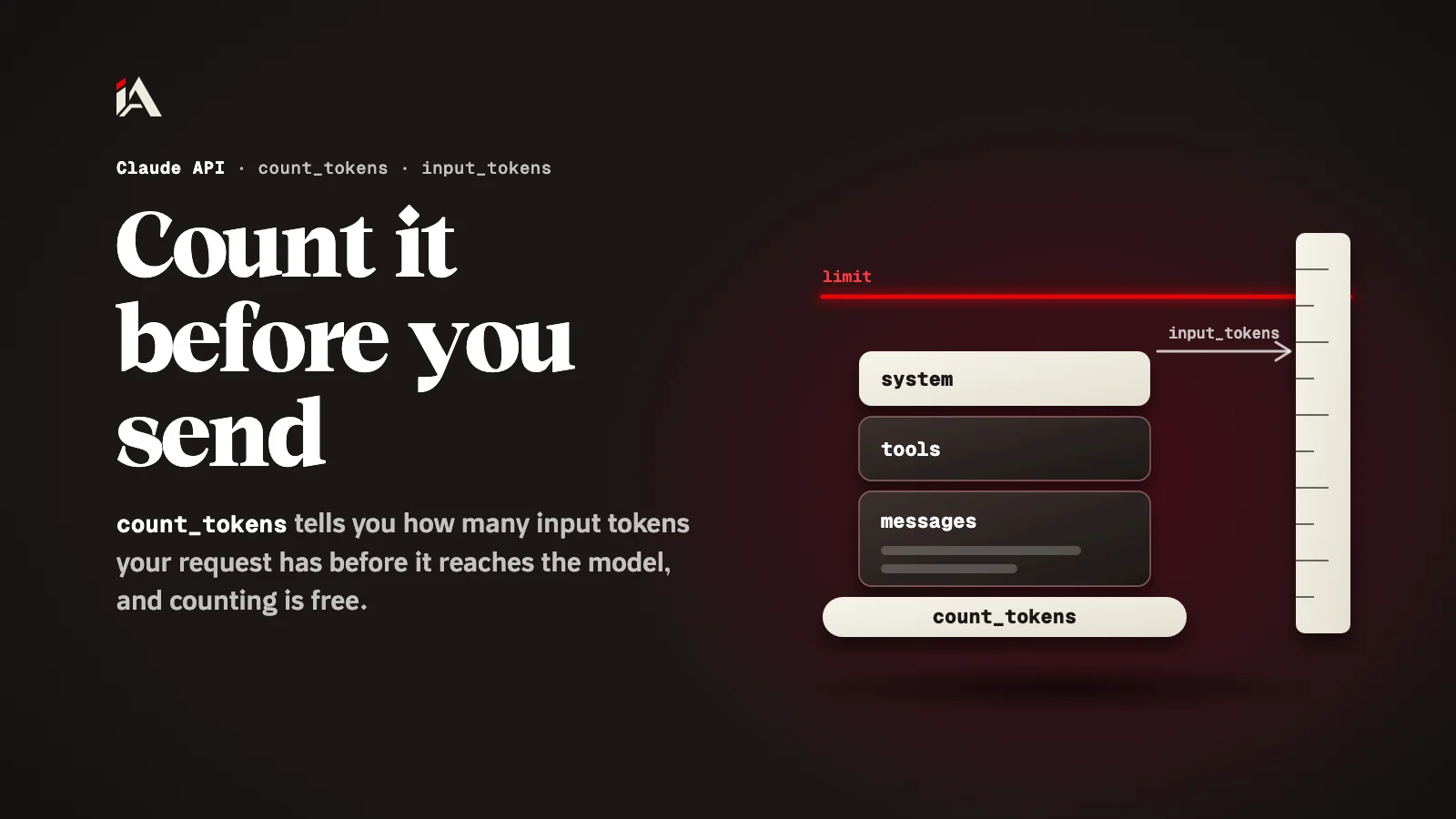
You send a request to Claude, and only after the answer comes back do you learn how long it was: the usage field tells you how many tokens went in. If the request was longer than you expected, the cost has already happened. This article shows how to count tokens before you send, and when that count changes a decision.
What is token counting in the Claude API?
Token counting is an endpoint in the Claude API that takes the same content as a message request and returns the number of input tokens in it, without sending the request to the model.
According to the token counting page in Claude's docs, counting lets you find out the number of tokens in a message before you send it, so you can manage rate limits and costs ahead of time, make model routing decisions, and fit a prompt to a specific length. The endpoint is /v1/messages/count_tokens, and it accepts the same inputs as creating a message, including system prompts, tools, images and PDFs.
How do you count the tokens in a request?
You count tokens by sending the same model, system and messages you plan to send, but to count_tokens instead of create.
This is the docs' own example in Python:
import anthropic

client = anthropic.Anthropic()

response = client.messages.count_tokens(
    model="claude-opus-5-5",
    system="You are a scientist",
    messages=[{"role": "user", "content": "Hello, Claude"}],
)

print(response.json())
And the answer is one field:
{ "input_tokens": 14 }The number is an estimate: the docs say the actual number of input tokens when creating a message might differ by a small amount in some cases. If the count includes tokens Anthropic added on its own, you are not billed for those.
What does count_tokens not accept?
count_tokens returns an invalid_request_error for a few inputs the Messages API accepts: server tools, the MCP connector, and images or documents whose source is a url or a file.
In detail, according to the same page:
Server tools such as web search, web fetch and code execution, every one except the advisor tool.
The MCP connector.
imageordocumentblocks with aurlorfilesource. To count them, send images and PDFs as base64.
For requests that use server tools or MCP, the count reaches you in the usage field of the Messages API response, after the request.
Why recount when you change models?
You need to recount because the same text comes out as a different number of tokens depending on the model, so a count measured on an older model does not hold for a newer one.
The docs say Claude 4.7 and later models use a newer tokenizer, and the same text produces approximately 30 percent more tokens than on earlier models, with the exact increase depending on the content. Their advice: count the same request twice, once with the model you use now and once with the model you plan to move to, and compare the two input_tokens values.
What does counting cost, and what are its limits?
Counting is free, but it has a requests per minute limit based on your usage tier, and that limit is separate from the limit for creating messages.
The same page says usage of one does not count against the limits of the other. So you can count every request before sending it without eating into your message limit. If you use prompt caching, note that counting gives an estimate without caching logic, and caching only happens when the message is created.
Where do you start now?
Take the longest request your project sends, such as one with a whole file or a long conversation, and run it through count_tokens before sending. If you plan to move to a newer model, count it on both models and compare, and add a check in your code that rejects or trims the request before it goes over the size you want.
If the same instructions repeat in every request, go on with caching them with prompt caching, and if your agent reads content from outside, see how to limit an AI agent's tools. For ready-made skills for Claude Code and coding agents, there is the AI skills section.
How many tokens is your longest request?
FAQ
Does counting tokens cost anything?
No. Token counting is free, but it has a requests per minute limit based on your usage tier, and that limit is separate from the one for creating messages.
Is the returned number exact?
It is an estimate. The docs say the actual number of input tokens when creating a message might differ by a small amount in some cases.
Does count_tokens use prompt caching?
No. Counting gives an estimate without caching logic, and caching only happens when the real message is created, even if you add cache_control to the counting request.