How do you protect GitHub Actions if someone moves an action's tag?
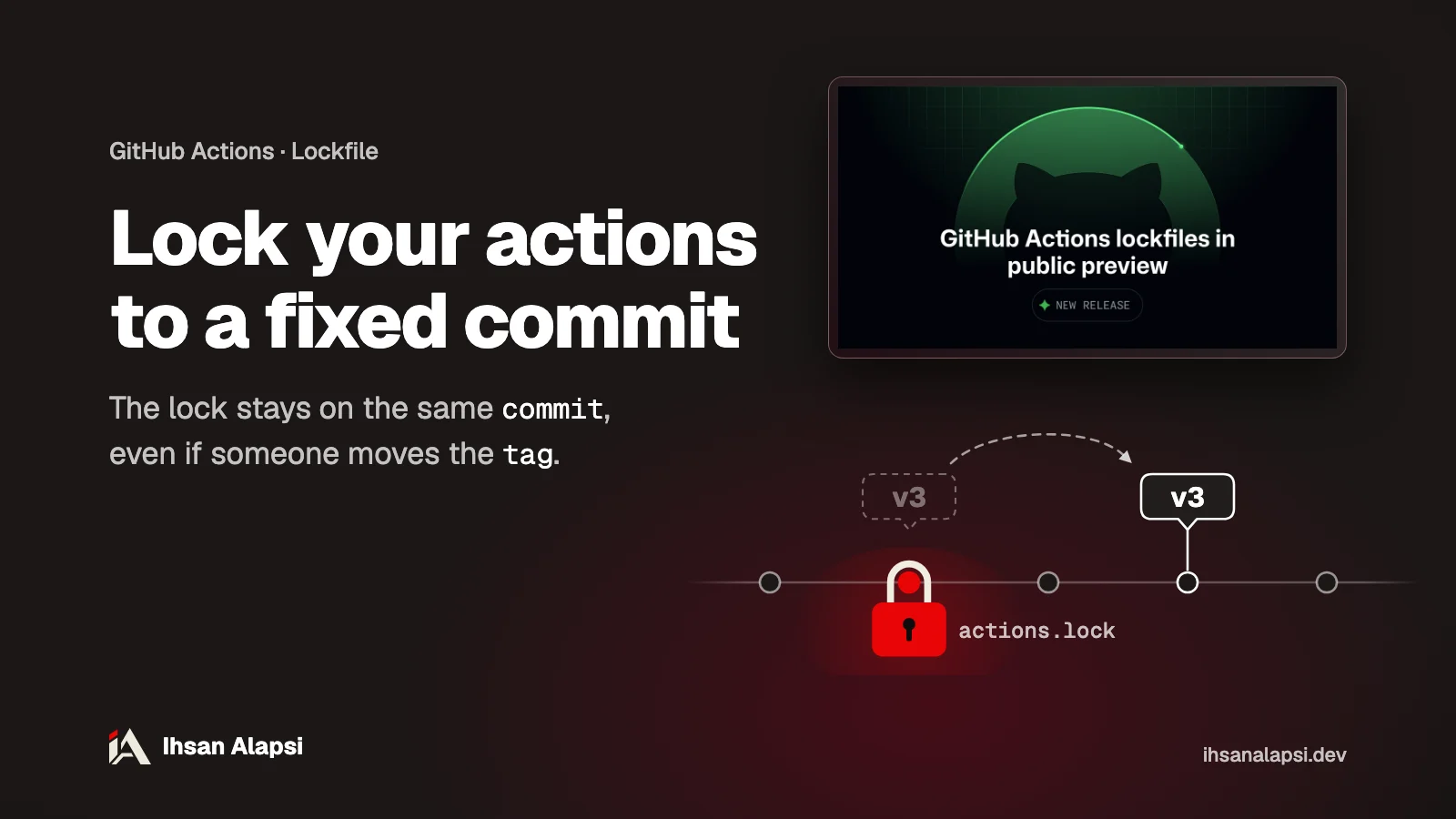
The gh actions-lock command writes an actions.lock file that pins every action and its dependencies to a specific commit, so GitHub Actions runs the locked commit even if the tag moves.
If you run an open source project or a small team on GitHub, your workflows probably have lines like uses: actions/checkout@v7.0.1, and each of those lines relies on the tag still pointing at the same code you looked at. On October 14, 2026, GitHub opened a public preview of a lockfile that pins that code, and it's available on the free plan too. Here you'll lock your workflows and add a check that fails on a pull request if it touches the workflows while the lockfile is out of date.
Why can a tag run code you didn't review?
A tag is a name that points to a commit, and anyone with permission on the action's repo can move it to another commit. GitHub Actions resolves the name to a commit at run time, so the next run executes the new code with no change at all in your repo.
The exception is a tag that belongs to a release with immutable releases turned on: according to the docs, that tag stays on the same commit, and it can't be changed or deleted as long as the release exists. But this setting is turned on in the action's repo or its organization, so the decision belongs to its owner, not to you.
According to Aqua Security's advisory GHSA-69fq-xp46-6x23 (CVE-2026-33634) in the GitHub Advisory Database, on March 19, 2026 an attacker used stolen credentials to move 76 of the 77 tags in the aquasecurity/trivy-action repo to commits carrying a program that steals secrets, and replaced all 7 tags in the aquasecurity/setup-trivy repo. The malicious code read the runner's memory to pull secrets out of it, and searched files for SSH keys and cloud credentials. The advisory also says the 0.35.0 tag of trivy-action wasn't affected, because it was protected by immutable releases.
Even people who had pinned trivy-action to an old SHA weren't always safe. The SHA is the full ID of a commit, and pinning to it gave these people a clean copy of trivy-action. But if the commit was older than April 9, 2025, trivy-action itself called setup-trivy without pinning it, so the malicious code reached them through that dependency if the workflow ran during the hours of the attack. So the SHA in your workflow file protects the line you wrote, and it doesn't reach indirect dependencies: the actions that the action calls from inside.
What is the actions.lock file and what does it record?
The lockfile actions.lock is a file in .github/workflows/ that records, for every action you use and for each of its dependencies, the commit the tag pointed to at lock time. When a workflow is locked, GitHub Actions runs that commit even if the tag has moved.
You keep writing the tag in the workflow as usual, and the lock decides what runs. Here's an excerpt from the lockfile of the gh-actions-lock repo itself, as it was on October 21, 2026:
workflows:
    '.github/workflows/release.yml':
        - 'actions/checkout@v7.0.1'
        - 'cli/gh-extension-precompile@v2.2.0'
dependencies:
    'cli/gh-extension-precompile@v2.2.0':
        ref: 'v2.2.0'
        commit: 'sha1-76961aa3bd1123d0a6fd42d0a41aca0696937c39'
        owner_id: 59704711
        repo_id: 421583656
        uses:
            - 'actions/attest-build-provenance@a2bbfa25375fe432b6a289bc6b6cd05ecd0c4c32'
            - 'actions/setup-go@4a3601121dd01d1626a1e23e37211e3254c1c06c'
The workflow calls only cli/gh-extension-precompile, and the lock also recorded the actions it calls from inside, each on a full commit. That's the same path the malicious code took in the trivy incident. Every dependency in the file has:
ref: the tag or branch you wrote in the workflow.commit: the code that will run.owner_idandrepo_id: two numbers for the repo's identity, which GitHub Actions checks at run time to make sure the repo behind the name is still the one you locked.
According to the extension's page, the runner also checks, as soon as the job starts, that the locked commit still exists and is still in the history of the tag or branch recorded in the lock. If any of these checks fails, the runner rejects the commit and the run stops.
The lock reaches indirect dependencies, except the dependencies of reusable workflows: those are covered by the lockfile in the repo that holds the reusable workflow. And it doesn't pin the Docker images the workflow pulls, so any image not pinned with @sha256: raises a container-image warning without stopping the run.
GitHub's docs on lockfiles say a repo with a lockfile no longer needs SHA pinning inside its workflow files, because the lock covers indirect dependencies and records the repo's identity, and the files stay easier to read.
The feature is a public preview for the Free, Team and Enterprise Cloud plans according to the announcement, and GitHub edited the list of plans in it on the day it was published. But the two docs pages on locking dependencies and enforcing the lock still showed GitHub Enterprise Cloud alone under "Who can use this feature?" on October 21, 2026, and the announcement is the more recent source. The extension is also still before version 1.0, and its page warns that the file format, the options and the way it works may change without notice.
How do you make the first lockfile for your project?
You install the gh actions-lock extension for GitHub CLI, run it from the repo root on one workflow or on all of them, and review the whole diff before you commit.
The steps in order, from the page on locking dependencies in GitHub's docs:
Review every
uses:line and make sure it points to a supported, recent version of the action, because the lock will pin what's there now. If you don't have Dependabot for actions, turn it on first (see the Dependabot section below).Install the extension, and you get
gh actions-lock:gh extension install github/gh-actions-lockTry the command on one workflow first, ideally the one that deploys or reaches secrets. You get an
actions.lockfile with only that workflow in it:gh actions-lock .github/workflows/ci.ymlThen run the command with no path, and it locks every workflow in
.github/workflows/. Finish this step before you add the--verifycheck (next section), because that check fails on any workflow that isn't locked:gh actions-lockOpen the diff and review all of it. The extension edits the workflow files too: it changes
octo-org/deploy-action@v3to a specific version like@v3.1.0without changing the commit, and it changesuses: ./…touses: $/…, a reference that always resolves to the commit that is running now.Check the list of allowed actions if your repo or organization has one. After locking, the list is checked against the locked SHA, so a line like
actions/checkout@v6no longer matches, and you need a wildcard or the full SHA.Commit the lockfile and the workflow edits together.
Before you lock, here is GitHub's warning in the announcement, word for word:
"Locking does not determine whether the dependency itself is safe, so review dependencies before locking them."
So the lock pins whatever exists when you run the command, safe or not.
How do you make sure the lockfile isn't out of date before merging?
The gh actions-lock --verify command checks the lockfile without editing any file, and exits with an error if it's out of date. That's why it goes in a job that runs on pull requests.
Since version v0.2.0 the check is stricter. The release notes say --verify fails on any workflow that has no entry in the lock, and on any entry in the lock that no workflow uses, and the fix is to run gh actions-lock once and commit the result. So this job belongs after you've locked all the workflows, or it will fail from the first pull request.
The docs page on enforcing the lock describes a job called verify that runs this command on pull requests whenever something changes in .github/workflows/** or in any action.yml. Here's what its file could look like:
name: actions-lock-verify

on:
  pull_request:
    paths:
      - ".github/workflows/**"
      - "**/action.yml"
      - "**/action.yaml"

permissions:
  contents: read

jobs:
  verify:
    runs-on: ubuntu-latest
    steps:
      - uses: actions/checkout@v7.0.1
      - run: |
          gh extension install github/gh-actions-lock --pin v0.2.0
          gh actions-lock --verify
        env:
          GH_TOKEN: ${{ secrets.GITHUB_TOKEN }}
GitHub CLI is already installed on GitHub's runners, but every step that uses it needs GH_TOKEN. And --pin v0.2.0 pins the extension itself to its latest release as of October 21, 2026, so the check doesn't change under you. This workflow has a uses: line too, so run gh actions-lock again after you add it, and put its file in the same commit as the lock, or the check will fail on this workflow.
Set up like this, the job runs only on pull requests that touch the workflows or action files, and it blocks merging only if you make it a required status check in the branch protection rules. If you want it required, remove paths: so it runs on every pull request: according to GitHub's docs on required checks, a required check that a path filter skipped stays Pending and blocks the merge. Either way, try it on a test pull request first.
If you want to catch the problem before there's a commit, put gh actions-lock --verify-local --no-fix in a pre-commit hook. This command works offline and without signing in, and it makes sure every dependency has an entry in the lock, so it also fails on any workflow that isn't locked. But it doesn't recheck the commits with GitHub, so the full check is still --verify in CI.
What do you do if the check says a tag moved?
First open the history of the action's repo, and see who moved the tag and why. If the move is normal, gh actions-lock --relock resolves all the references again and writes the new commits. If the old commit no longer exists in the repo at all, --relock alone keeps returning an error, and you accept the new one with gh actions-lock --relock --accept-moved.
Review any pull request that changes the lockfile like any dependency update. A changed commit means the code that will run has changed. A changed owner_id or repo_id is rare, and it means the repo behind the name isn't the one you locked, so stop and check before you merge. The docs also suggest adding .github/workflows/actions.lock to your CODEOWNERS file, so every change to it reaches whoever is responsible for build security.
When should you enforce the lock on all workflows?
Once the --verify check is running and isn't blocking anyone's work for no reason. The Require lockfile policy stops any workflow with uses: from running if it isn't locked. You'll find it under Settings, then Actions, on the Policies page, and a repo admin can turn it on.
According to the page on run policies, these policies are available for all public repos, and for private repos on Team or Enterprise only. Evaluate mode, which shows you what would have been blocked without blocking it, is for Enterprise Cloud only. So if you don't have Enterprise Cloud, the policy runs in Active mode from day one. Keep the lock up to date before you turn it on, or every workflow the policy targets that isn't locked will stop.
What does Dependabot do with the lockfile?
When Dependabot opens an update for an action in a locked workflow, it generates that workflow's entry in the lockfile in the same pull request, so the workflow and the lock stay in sync. But Dependabot doesn't lock a new workflow for you.
If it updates a dependency in a workflow that has no entry in the lock, it only tells you the workflow needs onboarding, so you lock the new workflow yourself with gh actions-lock. Here's a .github/dependabot.yml file with the example from Dependabot's docs for actions: weekly updates for actions, plus npm packages with a 7-day wait before any new version:
version: 2
updates:
  - package-ecosystem: "github-actions"
    directory: "/"
    schedule:
      interval: "weekly"
  - package-ecosystem: "npm"
    directory: "/"
    schedule:
      interval: "weekly"
    cooldown:
      default-days: 7
cooldown is the number of days Dependabot waits after a version comes out before it suggests it. According to the page on tuning Dependabot pull requests, the number has to be between 1 and 90, and Dependabot waits 3 days by default even without cooldown. The wait applies to version updates only, and security updates don't wait.
GitHub also suggests a skill for Copilot that tells it to regenerate the lockfile every time it edits a workflow or a local action, and never to touch the file by hand. GitHub says this makes the work easier and doesn't count as protection, because it only covers the edits Copilot makes. The same line fits in any skill for a coding agent like Claude Code, and the skills I'm preparing for these agents are in the AI skills section.
What is the package firewall, and does your team need it?
The package firewall is a new GitHub service that sits between runners and coding agents on one side and the package registry on the other, and checks every request and every download against a policy the admin sets. It has been a public preview since October 20, 2026 for Enterprise Cloud customers only, and it supports npm packages only.
The reason for the service, according to its announcement: many attacks now steal secrets from CI/CD machines or developer machines while a package installs, even without the package's own code running. These are the checks an admin can turn on, according to the setup page:
Check | What it does | Default |
|---|---|---|
Known malware | Blocks any package that has a malware advisory in the GitHub Advisory Database | On |
Vulnerability advisories | Blocks a version if it has a vulnerability advisory at the severity you choose or higher | Critical only |
Attestation regression | If older versions had SLSA attestations and the requested version doesn't, it blocks that version, because the missing attestation may mean the publishing itself was compromised | On |
New install scripts | Blocks the package if it recently added a | On |
Minimum version age | A cooldown period: blocks any version younger than a number of days between 1 and 365 | One day |
If a package gets blocked by mistake, the npm message or the CI log gives you a link to request an exception, and the enterprise admin reviews the request. The service is free during the preview, and once it reaches general availability it will be billed by usage, like the Actions bill.
On Free or Team you don't have this layer. The cooldown in Dependabot gets you close to the age check, but it only delays Dependabot's suggestions, and it doesn't stop an npm install you type yourself. What you have left is the lockfile for actions, and reviewing any pull request that changes package-lock.json or actions.lock the way you review code.
Where do you start now?
Try gh actions-lock today on the workflow that deploys or reaches secrets, and review the diff. Then lock everything with the same command and no path, and add the --verify job in the same pull request.
The lockfile protects the build pipeline, but it doesn't test your app itself: who can reach whose data, sign-in, and stored files. If you want someone to test your platform the way an attacker would, that's what Muhassan does.
For the code itself, before it reaches CI, the Security Skill Pack (still in preparation) reviews your project's code and flags IDOR and permission bugs before you deploy.
Which workflow will you lock first in your project?
FAQ
Is the actions.lock file available on GitHub's free plan?
Yes. According to GitHub's announcement on October 14, 2026, the public preview is available on the Free, Team and Enterprise Cloud plans, although the docs pages still say Enterprise Cloud only. The Require lockfile policy works on all public repos, while private repos need Team or Enterprise.
If I pin every action to a full SHA, do I still need a lockfile?
Yes, if you want to cover indirect dependencies. A SHA in a workflow file pins the line you wrote, and the lockfile also pins what the action calls from inside and records the repo's identity. GitHub's docs say a repo with a lockfile no longer needs SHA pinning.
Why does gh actions-lock --verify fail on workflows I didn't touch?
Because since version v0.2.0 the check fails on any workflow with no entry in the lock, and on any entry in the lock that no workflow uses. Run gh actions-lock once with no path, and commit the result.
Can I edit the actions.lock file by hand?
No. GitHub says the file is generated by the gh actions-lock command and isn't edited by hand. If it looks wrong, fix the workflow files and generate it again.
Does the lockfile pin the Docker images a workflow pulls?
No. The lock pins action commits only. Any image not pinned to a sha256 digest raises a container-image warning that doesn't stop the run, so pin your images to a digest yourself.
Does the package firewall support pip or Maven?
No. As of October 20, 2026 it supports npm packages only, and it's a public preview for GitHub Enterprise Cloud customers, free until it reaches general availability.