Installed LiteLLM 1.107.0 or pulled a latest image? What to do now
LiteLLM 1.107.0 and its Docker images contain a program that steals keys. Don't run pip in the infected environment: search for cook.pth with system tools, clean up, and rotate every key the machine could reach.
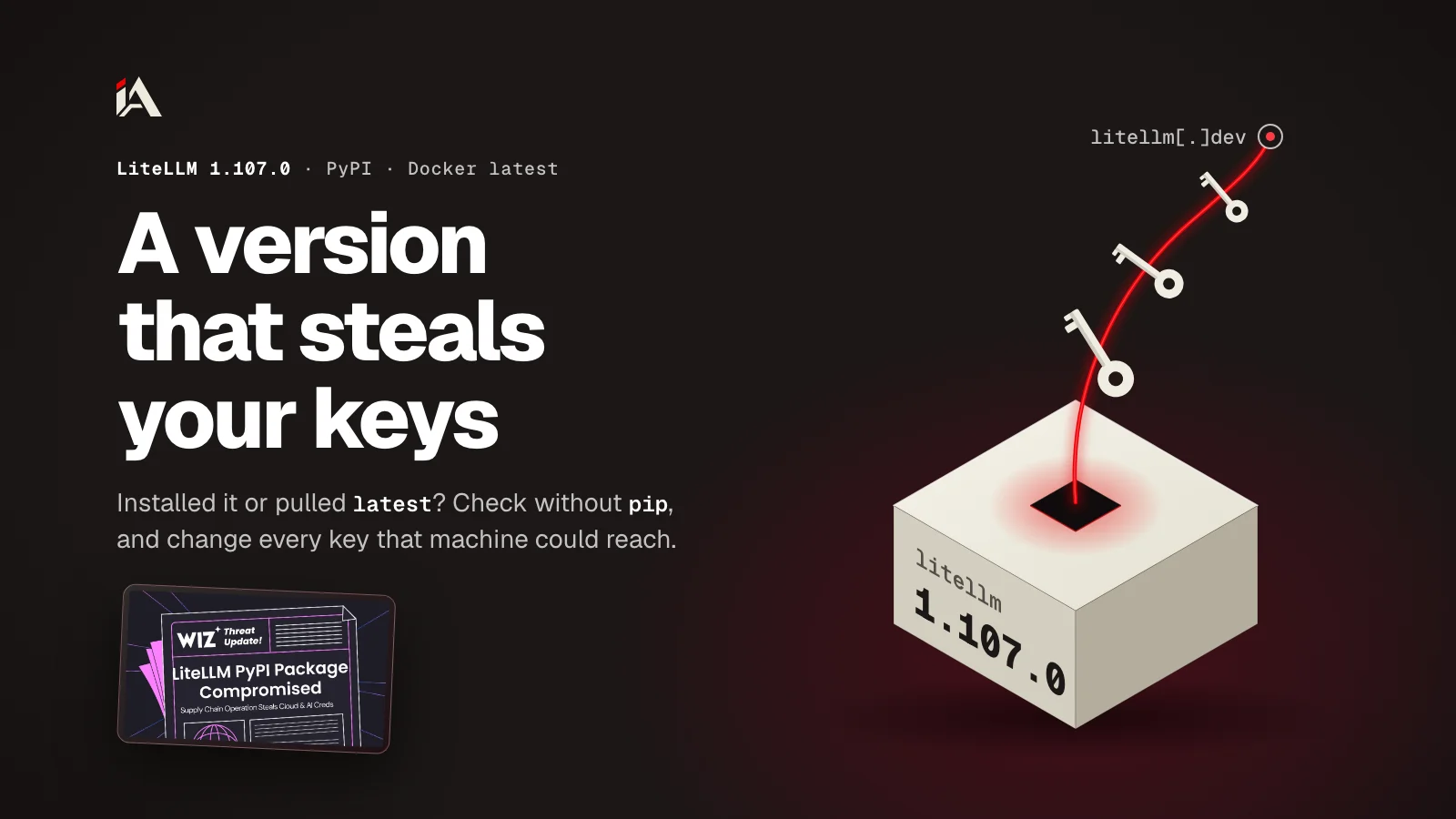
If your project talks to AI models through LiteLLM, and on October 21, 2026 you installed version 1.107.0, treat every key that machine could reach as stolen. And if you pulled a Docker image with a tag like latest on the same day, first compare the image's fingerprint (its digest) with the fingerprints of the infected images. LiteLLM is a Python library and a gateway (proxy) that lets you talk to several model providers the same way, and the gateway stores those providers' keys in a PostgreSQL database.
Who is affected by LiteLLM 1.107.0?
LiteLLM 1.107.0 hits anyone who installed litellm==1.107.0 from PyPI on October 21, 2026, or pulled LiteLLM images tagged v1.107.0, or tagged latest, main-latest or main-stable between 11:46 and 14:20 UTC on the same day. The last clean version is 1.106.2.
According to the report by the Upwind team that opened the issue on the project's repo, all seven wheel files of the release contain the malicious code, for macOS, Linux and Windows. The source file (sdist) doesn't contain the files, but it has an extra line in pyproject.toml. On Docker, four images were hit: ghcr.io/berriai/litellm, litellm-database and litellm-non_root on GHCR, and litellm/litellm on Docker Hub.
Time (UTC) | What happened |
|---|---|
08:56 to 10:46 | 10 malicious commits on a lookalike repo named |
11:00 to 11:06 | Docker images for |
11:39 to 11:40 | The release was uploaded to PyPI |
11:46:56 | Docker images were pushed to Docker Hub and GHCR, and |
12:06 | Upwind opened issue 47826 |
Before 13:23 | PyPI quarantined the release and you could no longer install it (Wiz wrote 1:20, most likely meaning 13:20) |
13:30 | GitHub took down the |
13:51 | A registry check found the infected GHCR images unavailable, while Docker Hub still served the infected image |
14:20 | On Docker Hub, |
14:32 | The LiteLLM team confirmed on the issue that the images were removed, and that it didn't know yet how the release got uploaded |
16:32 | The LiteLLM team: the attacker worked from the GitHub accounts of three engineers on the team, apparently with stolen tokens |
The times come from the Upwind report, Wiz's analysis and the LiteLLM team's replies on the issue, up to 16:40 UTC on October 21. The team promised its next update at 18:30. The times for publishing and removing the Docker images come from the LiteLLM team's account of the attack chain, published on October 23.
So if your requirements file has litellm with no version number, or with >=, any install or build between about 11:39 and 13:23 may have pulled the malicious release. The same goes for after that time if the install came from a mirror: StepSecurity says some mirrors kept serving 1.107.0 after PyPI removed it. Check your lockfile or build log for what was installed. And if you have an internal mirror or cache for packages, StepSecurity advises finding the 1.107.0 files in it by the published hashes and deleting them.
On Docker, any container that pulled one of the moving tags, or restarted and pulled it again, between 11:46 and 14:20 got the infected image. According to the LiteLLM team, the GHCR images were unavailable from 13:51, and on Docker Hub the tags kept pointing to the infected image until 14:20. And a container that started from the image stays infected even after the image is removed from the registry.
The library was downloaded 22,778,449 times in the last week according to pypistats on October 21, and that number counts downloads, not users.
The Upwind report checked the wheel files of versions 1.106.0, 1.106.1, 1.106.2, 1.107.0rc1 and 1.107.0rc2, plus six versions from the 1.103 to 1.105 line (1.103.6, 1.103.7, 1.104.4, 1.104.5, 1.105.2 and 1.105.3), and found them clean. And the LiteLLM team wrote that the private registry for Enterprise customers wasn't affected.
Why is this incident dangerous for AI gateways in particular?
The LiteLLM gateway stores the keys of every provider it talks to, and LiteLLM 1.107.0 has a part that pulls all those keys from the database in one go if it finds DATABASE_URL. On top of that, the malicious code runs with every Python run in the environment, even if your project never runs an import of litellm.
The malicious wheel drops three files in the first site-packages folder: cook.pth, cook.py and sitecustomize.py. A .pth file is a text file in that folder, and Python runs any line in it that starts with import at startup, even if no file in your project uses the library. That's what the Python docs for the site module say. cook.pth has one line: import cook. As for sitecustomize.py, Python tries to import it on its own after it sets up the paths. So your API server, pip itself, and any CI job in the same environment all run the malicious code.
cook.py runs a stealer called privcollect in the background. Once sending succeeds, it writes a marker file in /tmp and doesn't run again, and as long as sending fails it tries again with every Python run. According to JFrog's analysis and the Upwind report, it collects:
AWS, Azure and Google Cloud keys, and temporary keys from the server's metadata, and it tests AWS keys with
GetCallerIdentityto see if they workSSH, GPG and TLS keys,
.envfiles, and shell historyGitHub, npm and PyPI tokens, and Jenkins, Vault and Terraform secrets
Passwords and cookies from Chrome and other Chromium browsers (Edge, Brave and others), and password and history files from Firefox
Settings and tokens of AI tools: Claude, Codex, Gemini, Cursor, Copilot and Hugging Face
The environment variables of every process it can read on the machine (on Linux)
And if it finds
DATABASE_URL, it pulls theLiteLLM_CredentialsTableandLiteLLM_ProxyModelTabletables from the gateway's database, meaning every provider key stored there
The data is encrypted with AES-256 and the key with RSA-4096, and sent to www.litellm[.]dev/healthcheck. That domain doesn't belong to the project (its official site is litellm.ai), and it was registered on October 13. Because the data is encrypted, network logs won't show you exactly what left.
sitecustomize.py starts a separate Python process that keeps running in the background, and every hour it reads a domain.txt file from a repo on GitHub. If it finds a domain there, it runs the stealer again, and downloads code from /codepy on that domain and runs it. The file had been empty since October 20, and GitHub took the repo down at 13:30, but the process keeps running on every infected machine until you kill it. On Windows this part fails silently, and cook.py steals as usual.
How do you know if your machine or container has the files?
To find out if LiteLLM 1.107.0 hit your machine, search for cook.pth, cook.py and sitecustomize.py in site-packages or dist-packages folders (on Debian and Ubuntu) with system tools like find, without pip and without any Python command. Any Python run in the infected environment runs the malicious code again.
JFrog put it plainly in its cleanup section:
"Do not begin remediation by running pip inside an affected environment."
On Debian and Ubuntu, packages installed outside the Debian package system (like with sudo pip) go to /usr/local/lib/pythonX.Y/dist-packages, and that folder is on sys.path according to the Debian wiki, so you need to search it too.
On Linux and macOS:
# payload files in any site-packages or dist-packages on this machine
find / \( -path '*site-packages*' -o -path '*dist-packages*' \) \( -name 'cook.pth' -o -name 'cook.py' -o -name 'sitecustomize.py' \) 2>/dev/null

# compare each hit with the published hashes (sha256sum on Linux)
shasum -a 256 /path/to/site-packages/cook.pth /path/to/site-packages/sitecustomize.py

# marker, lock, and the process holding the lock
ls -la /tmp/.pc_once_72129118c59f5636c0bb /tmp/remote_code_loader.lock 2>/dev/null
lsof /tmp/remote_code_loader.lock 2>/dev/null

# where 1.107.0 is pinned in your repo (check the litellm lines)
grep -rn '1\.107\.0' --include='requirements*.txt' --include='*.lock' --include='pyproject.toml' .
And on Windows in PowerShell:
Get-ChildItem -Path C:\ -Recurse -Filter cook.pth -ErrorAction SilentlyContinueThe hashes Wiz published for the Linux and macOS versions (the Windows versions have other hashes on the same page):
File | sha256 |
|---|---|
|
|
|
|
|
|
A sitecustomize.py file can be legitimate in some environments, and Socket warns that its name alone isn't proof, so compare the hash. A cook.pth next to it is the clear sign. And if you find a /tmp/.pc_once_72129118c59f5636c0bb file, you can be sure the data reached the attacker: the stealer only writes it after sending succeeds. Its absence proves nothing, and on Windows this check doesn't help because the file is usually never written.
Docker and Kubernetes images
The digest is a sha256 fingerprint of the image's content, and the tag is a name that points to one image and can move. Here are the starts of the digests that the Upwind report published at 13:23:
Image | Infected ( | Clean ( |
|---|---|---|
|
|
|
|
|
|
|
|
|
|
|
|
docker images --digests | grep -E 'berriai/litellm|litellm/litellm'
docker exec <container> ls -la /app/.venv/lib/python3.13/site-packages/cook.pth
kubectl get pods -A -o jsonpath='{range .items[*]}{.status.containerStatuses[*].imageID}{"\n"}{end}' | grep -i litellm
What do you do if you find the files?
If you find the malicious LiteLLM 1.107.0 files, isolate the machine, delete them from the shell, kill the separate Python process and block the fake domain, then rotate the keys and rebuild the environment. That's the order JFrog follows.
Disconnect the machine or container from the network, and leave the proxy, DNS and cloud logs as they are. They tell you what left and where it went.
Before you delete anything, note two things: whether the
/tmp/.pc_once_…file exists, and the process ID (PID) holding the lock file according tolsof.Delete
cook.pthandcook.pyfrom every infectedsite-packagesordist-packages, along with their compiled files in__pycache__and the/tmpfiles. Deletesitecustomize.pyonly if it matches the published hash.Kill the process with
kill, and look for any otherpythonprocess running on its own with/as its working directory. That's how the loader process shows up, according to Upwind.Block
litellm[.]devand everything under it in DNS or the firewall (remove the brackets when you type it), and search your logs for the domain, forraw.githubusercontent.com/letters9813/, and for any request to/codepy.Rotate the keys from another, clean machine, as in the next section.
Rebuild the environment or image from scratch on
litellm==1.106.2, and delete thev1.107.0images from your cache.
The commands for step 3, after you put the infected path in place of /path/to/site-packages:
SP=/path/to/site-packages
rm -f "$SP/cook.pth" "$SP/cook.py" "$SP"/__pycache__/cook*.pyc
# sitecustomize.py only if it matches the malicious hash (sha256sum on Linux)
[ "$(shasum -a 256 "$SP/sitecustomize.py" | cut -d' ' -f1)" = 34bef04fe88ac9d0aae0475630b1738681d15b94f233ac8aa46eacf5968305fa ] && rm -f "$SP/sitecustomize.py" "$SP"/__pycache__/sitecustomize*.pyc
rm -f /tmp/.pc_once_72129118c59f5636c0bb /tmp/remote_code_loader.lock
If you find no files, but the release was installed at any point on a machine with internet access, Upwind says to assume the data left. Steps 5, 6 and 7 apply to you too.
Which keys do you need to rotate after LiteLLM 1.107.0?
After LiteLLM 1.107.0 you need to rotate every key the machine or container could reach, starting with the provider keys stored in the gateway's database. The stealer pulls all of them if it finds DATABASE_URL.
The list comes from the Upwind report and the StepSecurity and JFrog analyses:
Provider keys in the
LiteLLM_CredentialsTabletable and in model settings (litellm_params). Revoke the old ones and create new ones in each provider's dashboard first, then put the new ones in the gateway.The gateway's master key, virtual keys and salt key, and the database password in
DATABASE_URL.The IAM role of the server or task, and any cloud keys on the machine. In CloudTrail, look for
GetCallerIdentityfrom the server's role around the install time, and for any use of the same keys from outside your infrastructure.Any secret in the environment variables of any process on the machine, not only the gateway process.
SSH and GPG keys and TLS certificates, and GitHub, npm and PyPI tokens.
On a developer machine: passwords saved in the browser, and coding agent tokens.
Be careful with the salt key before you change it: according to the LiteLLM docs, it's what encrypts the keys stored in the database, changing it makes them unreadable, and there is no way to move them to the new key. So change it only together with entering all the new provider keys from scratch, and back up the database first. And if you don't have a salt key, the master key is the encryption key, and changing it needs the re-encryption steps on the same page.
The stealer looks for the settings of Claude, Codex, Cursor, OpenCode and others. If you run Claude Code or OpenCode on the same machine (these are the environments I build AI skills for), revoke the Claude Code session and any API key it used, and in OpenCode rotate the provider keys in its auth.json file, then log in again.
After you rotate the provider keys, set a spending cap and an alert on every account. Wiz published on October 20 about a different campaign that shows how high the bill can go when someone runs Gemini on your account: the attackers phished Google Cloud accounts with high privileges and linked their projects to the victim's billing account, and the bills reached tens and hundreds of thousands of dollars. Wiz advised watching for any odd spike in usage and setting a spending cap.
How did the malicious code get into an official LiteLLM release?
LiteLLM 1.107.0 was built from a lookalike repo named Berri-AI/litellm, not from the project's repo BerriAI/litellm, and the official v1.107.0 tag is clean. The LiteLLM team wrote at 16:32 that the attacker ran the release tool from the GitHub accounts of engineers on the team, apparently with stolen tokens.
The build record (provenance) attached to the Docker images names the code source as github.com/Berri-AI/litellm, while the same release tool built 1.106.1, 1.106.2 and 1.107.0-rc.2 from BerriAI/litellm, according to the Upwind report. The attacker added 10 commits on top of a legitimate commit from the main branch, and the first nine carry a Verified badge. GitHub signs any commit made from its web editor, so the badge here only says the commit was made from the web editor on github.com by the Berri-AI account, and it doesn't say the account belongs to the project team.
The same update says there were three accounts, and the tokens appear to be GitHub CLI OAuth tokens: with one account the attacker ran the project-releaser release tool, and with another account approved the run. The team revoked all the tokens that were used, temporarily removed every member of its GitHub organization except one who wasn't affected, and removed any trusted link to its organization from the public package registries so another malicious release can't be uploaded. But it still doesn't know how the tokens reached the attacker, or the original path of the attack, so it can't confirm the attacker no longer has access to these accounts.
And this is the second time this year: in March 2026 two malicious releases, 1.82.7 and 1.82.8, were uploaded with stolen publishing credentials. JFrog found no evidence linking the two incidents, and treats them as separate campaigns. None of Upwind, Wiz, JFrog, StepSecurity or Socket had named an actor as of October 21.
Because the tag is clean and the published file is malicious, reviewing the code in the repo wouldn't have caught anything. JFrog advises checking the file you're downloading itself: its file list (RECORD) and any file that runs at startup.
How do you protect your project from the next malicious release?
So you don't pull a malicious release like LiteLLM 1.107.0 without noticing, pin every library to an exact version along with its hash, and pin Docker images by digest, not by tag. And don't update LiteLLM past 1.106.2 until the team announces it has closed the path.
In pip it's called hash-checking mode, and it protects against someone swapping the file you download, according to the pip docs. Every library has to be pinned with ==, and hashes are required for all dependencies, not only the direct ones. LiteLLM 1.106.2 on PyPI has seven wheel files and one source file, so add a hash for every wheel you use (macOS, Linux and Windows). In practice you need a tool that generates the full file and does this for you, instead of writing it by hand:
litellm==1.106.2 \
    --hash=sha256:<hash-of-the-linux-wheel> \
    --hash=sha256:<hash-of-the-macos-wheel>
pip install --require-hashes -r requirements.txtDocker says in its docs that tags change, and the publisher can point a tag to a new image, which is what happened with latest and main-stable. Get the digest and pin the image to it:
docker buildx imagetools inspect ghcr.io/berriai/litellm:v1.106.2services:
litellm:
image: ghcr.io/berriai/litellm:v1.106.2@sha256:<digest-from-inspect>The trade-off is that security updates won't reach you on their own, and Docker suggests a tool like Dependabot to update the pinned digest. Review every update before you merge it.
As for LiteLLM itself: at 14:32 the team asked people to pin 1.106.2 or any exact version published before that time (other than 1.107.0). And Upwind asked the team to treat the next release as suspect until it changes its publishing credentials and reviews its build environment, so wait for their announcement before you update.
And if you publish Python packages yourself, like the Nexus-REC tool I published on PyPI, which is on the projects page, take Upwind's advice to LiteLLM: publish with Trusted Publishing and with attestations. The project never published attestations on PyPI, so a pip user had no way to tell a legitimate file from a modified one. The Docker images came with provenance, and that's how the lookalike repo was exposed. An attestation, according to the PyPI docs, is a signature that ties each file in the release to the identity of whoever published it, like a specific workflow on GitHub Actions.
And if your AI product is in production and you want someone to test your platform and hand you a fix plan, that's what Muhassan does. Now open your requirements file: what's written next to litellm, a version number or just the name?
FAQ
If my project never imports litellm, am I safe?
No. The cook.pth file runs with any Python run in the same environment, even pip itself, because Python runs import lines in .pth files at startup even if no file in your project uses the library.
Are versions 1.107.0rc1 and 1.107.0rc2 affected?
No. The Upwind report checked all their wheel files and found them clean, along with 1.106.0, 1.106.1 and 1.106.2. Versions 1.107.0.dev1 to dev3 are still on PyPI and haven't been checked according to StepSecurity, so stay away from them.
I didn't find the /tmp/.pc_once file. Does that mean nothing was stolen?
No. The file is only written after the data reaches the attacker, containers and /tmp cleanup delete it, and on Windows it's usually never written at all. If 1.107.0 was installed on a machine with internet access, assume the data left.
Is Windows affected like Linux and macOS?
Yes. The sitecustomize.py part fails on Windows, but cook.py steals there too. And it usually can't write the marker file because /tmp doesn't exist, so it steals again with every Python run, and checking /tmp won't help you.
I'm an Enterprise customer pulling from LiteLLM's private registry. Am I affected?
No. The LiteLLM team wrote on October 21, 2026 that the private registry for Enterprise customers wasn't affected.
When can I update LiteLLM to a version newer than 1.106.2?
When the LiteLLM team announces that it knows how the malicious release was uploaded and has closed that path. As of their 16:32 UTC update on October 21, they still didn't know the original attack path. At 14:32 they asked people to pin 1.106.2 or any exact version published before that time, other than 1.107.0.