Self-hosting Nextcloud? The Collabora flaw is now on CISA's KEV list
CISA added CVE-2026-110447 to its KEV list: unauthenticated command injection in Nextcloud's built-in Collabora app. Disabling it is not enough: update to 26.4.303 or remove it.
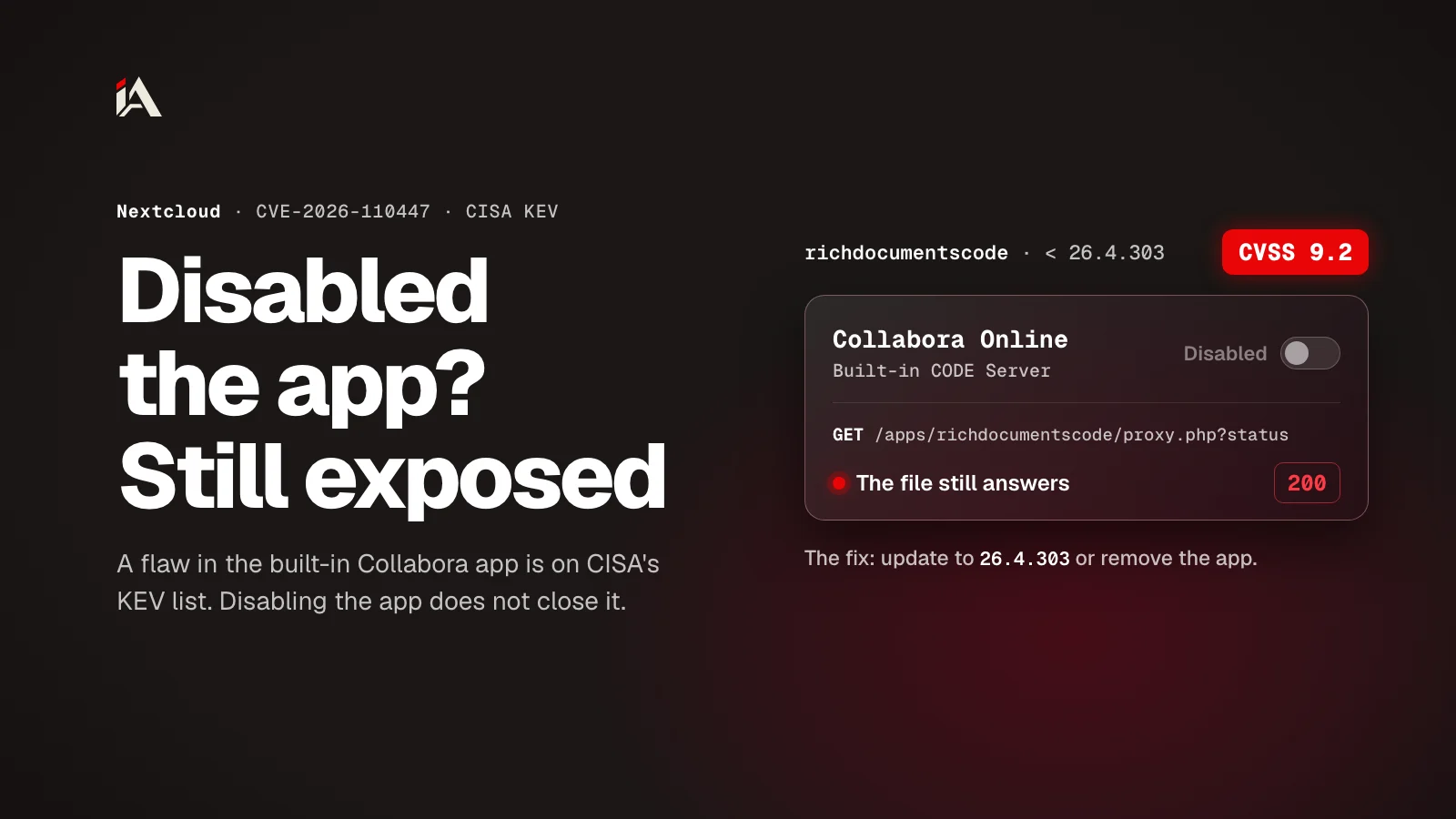
On October 23, 2026, the US Cybersecurity and Infrastructure Security Agency (CISA) added CVE-2026-110447 to its Known Exploited Vulnerabilities (KEV) catalog and gave federal agencies until October 26 to fix it. The flaw is an unauthenticated OS command injection rated 9.2 on CVSS 4.0, in Nextcloud's built-in Collabora Online app. The first documented attack was on September 10, 2026, so attackers had been using it for more than six weeks before it reached the list.
Disabling the app in the admin panel does not close the hole: you either update it or remove it. By the end of this article you will know whether your version is affected and how to check whether someone got into your server.
What does the KEV listing mean?
CISA's KEV catalog lists vulnerabilities with reliable evidence that they are being exploited in real attacks. Once a flaw is on the list, US federal agencies must fix it by a set date.
Even if you have nothing to do with the US government, take the hint: a flaw on that list gets fixed now, not in the next maintenance window.
The deadline here is three days from the date it was added. The flaw's KEV entry also requires a quick forensic triage of the machine, which CISA's BOD 26-04 describes as a check of whether the system is compromised.
What is the vulnerability, exactly?
The flaw is in the proxy.php file of the Collabora Online - Built-in CODE Server app (richdocumentscode), a Collabora app that runs a local Collabora server inside your Nextcloud.
The app starts the local server, and proxy.php forwards requests to it. According to Collabora's security advisory, while the local server is down (after a restart, an upgrade, or a crash), a single request to proxy.php can run an operating system command on your server as the web server account. The attacker needs no account on your Nextcloud: the server's address is enough.
Unauthenticated command injection means the attacker can run any command the web server account can run: drop a webshell, read every file that account can reach, and try to move from there to other services. A webshell is a small PHP file that lets the attacker come back and run commands from a browser whenever they like.
Am I affected, and who needs to act?
Every version of the Collabora Online - Built-in CODE Server app older than 26.4.303 is affected, and standalone Collabora servers are not.
Your setup | What to do |
|---|---|
Nextcloud 30 or later with the built-in Collabora app older than 26.4.303 | Update the app to 26.4.303 or later right away |
Nextcloud 29 or older with the built-in app | Your Nextcloud is already out of support: upgrade Nextcloud, or remove the app until you do |
External or standalone Collabora server (not the built-in app) | Not affected |
No Collabora at all | Not affected, but check that the app is not installed |
The fixed release, 26.4.303, needs Nextcloud 30 or later, according to the app's info file. So if you are still on Nextcloud 29 or older, you cannot update the app on its own: either upgrade Nextcloud itself, or remove the built-in app until you do.
Your position is like that of anyone who was on a very old version during this month's 10/10 GitLab flaw: the fix exists, but there is an upgrade between you and it.
Why doesn't disabling the app help?
Disabling the app is not enough because the web server runs proxy.php directly, without asking Nextcloud whether the app is enabled. The official advisory says so plainly: disabling is not enough, and the app must be updated to 26.4.303 or later, or removed.
The web server (Apache or nginx) runs this file on its own when a request reaches it, and even Nextcloud's official nginx configuration has a special exception for richdocumentscode/proxy so that it runs directly. Disabling the app stops its normal work inside Nextcloud, but the file stays on disk and still runs. The attacker does not need the app to be enabled: they send their request straight to the file.
You have two options:
Update the app to 26.4.303 or later (this needs Nextcloud 30 or later).
Remove the app entirely from the apps directory, not just disable it.
With October's NGINX vulnerabilities, there was a config workaround until you could upgrade. Here, disabling the app, the first workaround most people think of, closes nothing.
What were attackers doing since September 10?
Attackers dropped a one-line PHP webshell into the app folder, with a name like shx*.php, and on at least one server they then searched for password files and crypto wallets.
An operator who hosts several Nextcloud servers reported the attacks in a GitHub issue: the first exploit request in their logs was on September 10, 2026, and the attack worked on several separate servers. On one of them, the attacker used the webshell to search for:
Password manager files (
*.kdbxand Bitwarden and 1Password folders)Crypto wallets (
wallet.datandkeystore.json)
In the requests the reporter reviewed, there were no commands that copied files or uploaded them elsewhere. But the webshell runs as the web server account, so treat every file that account can read as exposed. That includes Nextcloud's config file (config/config.php), which holds the database password, and the mail password if you set one. So if your server was exposed during that window, updating alone is not enough.
How do you check your server, and what do you do now?
Check the app version, look for unfamiliar PHP files, and review the web server logs, then update or remove the app. If you find signs of a break-in, change every password on the server.
1. Confirm the app version
In the Nextcloud admin panel, go to Apps and check the version of "Collabora Online - Built-in CODE Server". Older than 26.4.303 means you are affected. If your Nextcloud is also 29 or older, you need an upgrade plan.
2. Look for the webshells
Attackers used filenames like shx*.php. Search the whole Nextcloud directory for them and for any PHP file you do not recognize:
find /path/to/nextcloud -name "shx*.php" -o -name "*.php" -newer /path/to/nextcloud/index.php | head -50Replace /path/to/nextcloud with your install path. Open any PHP file you do not recognize and read it before deleting it, so you know what happened.
Names change, though: on the Nextcloud forum, a server admin found a webshell called Nx_33143.php in the same app folder. So also run the integrity check built into Nextcloud. According to Nextcloud's official documentation, it compares each file with the signature that shipped with Nextcloud and with the app, so it lists an extra file (EXTRA_FILE) whatever its name, and a changed file (INVALID_HASH). The first command checks Nextcloud's core files and the second checks the app. Run them as the web server user (www-data on Debian and Ubuntu):
cd /path/to/nextcloud
sudo -E -u www-data php occ integrity:check-core -v
sudo -E -u www-data php occ integrity:check-app richdocumentscode -v
If the files are clean, each command prints No errors found; without -v it prints nothing. On Nextcloud 32 or later, --all in place of the app name checks every app.
A clean result proves that the Nextcloud and app files match what was shipped, with no extra or changed file. It does not prove that nobody got in: the check does not look at the data folder, the config folder, or anything outside the Nextcloud folder, and it cannot tell whether the attacker read config.php and left. And if you already updated the app, the update deleted its old folder and put the new one in its place, so a shell that was there is gone with it and the check comes back clean. That is why the logs, in the next step, are what tell you whether someone got in.
3. Review the access logs
Search your web server logs for requests to proxy.php?status that contain $(, %24%28, ${IFS} or base64: these are the exploit markers from the report. Also watch for requests from IP addresses you do not know. If you find exploit requests that succeeded before you updated, that is evidence of a break-in.
4. Update or remove the app
Nextcloud 30 or later: update the app to 26.4.303 or later from the app store.
Nextcloud 29 or older: delete the app entirely (the
richdocumentscodefolder in the apps directory) and plan a Nextcloud upgrade soon.
5. If you find signs of a break-in, treat it as a full incident
A webshell on the server means the attacker could run any command as the web server account. In that case:
Change every password: database, mail, and any other service on the same server
Review password manager files and crypto wallets if they were on the server
Consider rebuilding the server from a clean image if the break-in is old
Updating closes the hole, but it does not remove an attacker who got in before. For the order to change your secrets in, start with the database, as I explained in the Railway breach and the order to rotate secrets.
What is the lesson here?
First, "built-in" does not mean safer. Here the built-in app was the one that broke, while standalone Collabora servers were fine. So if an app is installed on your Nextcloud and you do not use it, remove it.
Second, disabling an app is not the same as removing it. As long as the file is on disk and the web server can reach it, the hole is there.
Third, fix a flaw on the KEV list today, then check whether anyone got in before you fixed it, as CISA asked federal agencies to do for this one.
If you self-host Nextcloud, when did you last check the apps folder for files you did not put there?
FAQ
Am I affected by this flaw?
Yes, if you run Nextcloud 30 or later with the Collabora Online - Built-in CODE Server app older than 26.4.303, and the fix is updating the app to 26.4.303. Nextcloud 29 and older are already out of support: upgrade Nextcloud or remove the app. Standalone Collabora servers are not affected.
Does disabling the app protect me?
No. The web server runs proxy.php directly, even when the app is disabled in the admin panel. Update to 26.4.303 or later, or remove the app entirely.
Which version fixes it?
Version 26.4.303 of the Collabora Online - Built-in CODE Server app, which needs Nextcloud 30 or later. If you can't upgrade Nextcloud yet, remove the app until you do.
How do I check for compromise?
Look in the Nextcloud folder for files like shx*.php: one-line PHP webshells the attackers dropped. Names change, so also run the integrity check occ integrity:check-core and integrity:check-app richdocumentscode. Check your web server logs for suspicious proxy.php requests. If you find anything, treat the server as compromised and change the database and mail passwords and every secret the web server account can read.