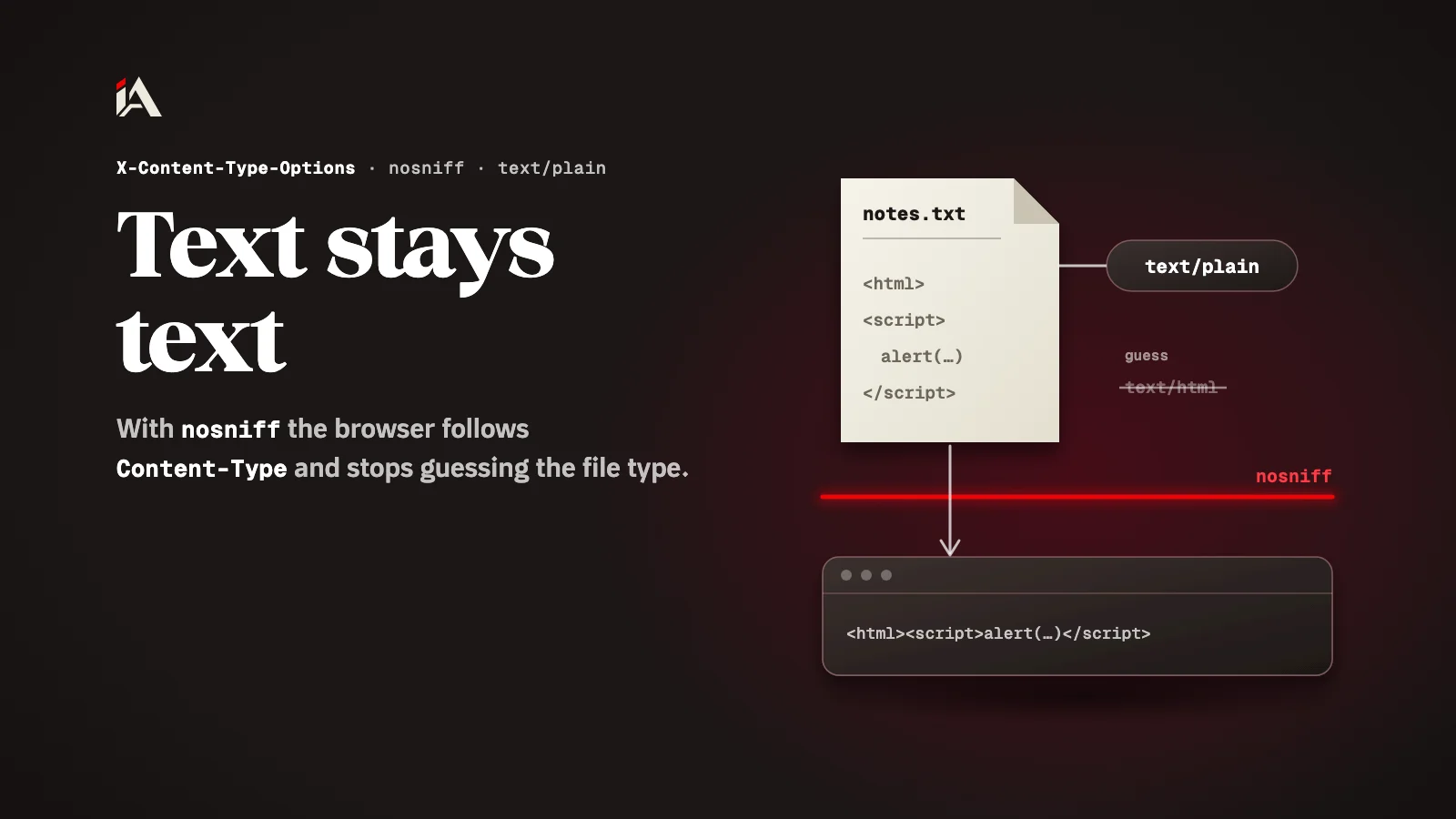
Is your password reset link leaking? Set Referrer-Policy
Browsers send your page address with requests in the Referer header. The Referrer-Policy header decides how much of it goes out, and no-referrer removes it from sensitive pages.
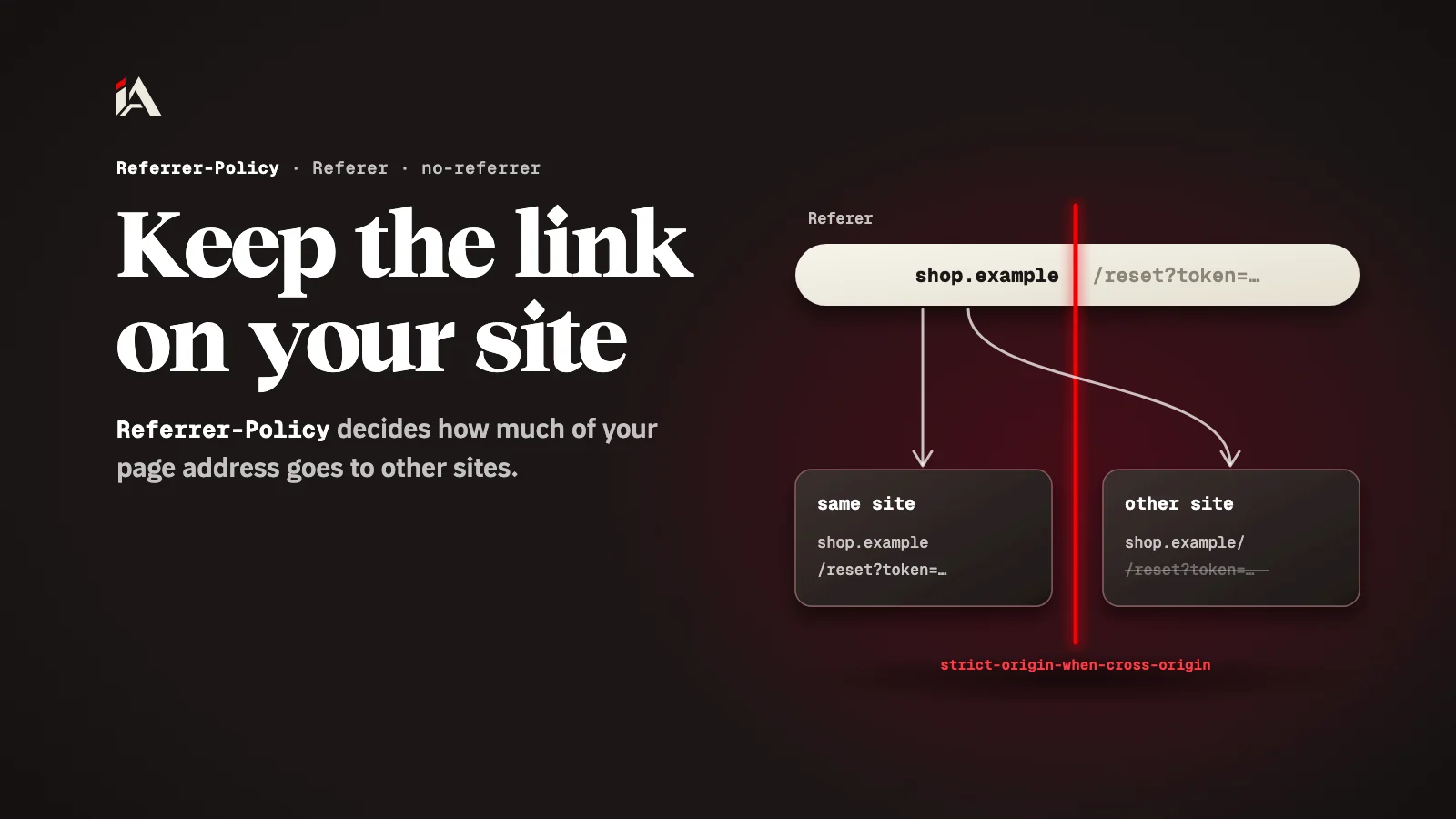
Your password reset page has a small button in the footer that links to your company's social account. A user opens the page from the link in their email, clicks the button, and the other site may receive the whole page address, token included. This article shows what leaves your site with each request, and how to limit it with one line on the server or in HTML.
What is the Referer header?
The Referer header is the address of the page a request came from, and the browser sends it on its own when a user clicks a link or when your page loads an image or a file.
According to MDN's page on the Referer header's privacy and security concerns, the header contains the address of the previous page from which a link was followed, or the address of a page loading an image or other resource. Its ordinary uses are analytics, logging and caching, but it can also be used for tracking or stealing information, or leak sensitive information by accident.
How can a password reset link leak?
A password reset link leaks when the page holding the token sends its address to another site, through a link the user clicks or an image loaded from outside.
The same MDN page gives this example: a "reset password" page with a social media link in its footer. If the user follows it, depending on how information was shared, the social media site may receive the reset password URL and may still be able to use it. The page adds that an image from a third-party site embedded in your page could leak sensitive information to that site in the same way.
What does Referrer-Policy do?
Referrer-Policy is a response header from the server that controls how much of the page address goes out with requests in the Referer header.
According to MDN's Referrer-Policy page, these are the values you will need most:
Value | What goes out with the request |
|---|---|
| Nothing: the request has no Referer header |
| Only the origin, such as |
| The full address for same-origin requests, nothing for other sites |
| The full address for the same site, only the origin for other sites from HTTPS to HTTPS, nothing from HTTPS to HTTP |
| The full address with the query string on every request, whatever its security |
If you set no policy, or an invalid one, the browser uses strict-origin-when-cross-origin. The page warns that unsafe-url will leak potentially private information from HTTPS resource URLs to insecure origins.
If the browser already protects you, why set the header?
The header makes the policy your decision, because the default sends the full address with the query string on your own site's requests, and the origin to any other site on HTTPS.
OWASP's HTTP Headers Cheat Sheet says to set the header explicitly rather than rely on browser defaults, and gives this value as its example:
Referrer-Policy: strict-origin-when-cross-originOn the password reset page and the payment page, no-referrer is better: those pages have no reason to tell anyone where a request came from.
How do you set the policy from HTML?
If you cannot change the server's headers, you can set the policy for the whole page with a meta tag, or for one element with the referrerpolicy attribute.
MDN's Referrer-Policy page shows all three ways:
<meta name="referrer" content="no-referrer" />
<img src="https://cdn.example.com/logo.png" referrerpolicy="no-referrer" />
<a href="https://social.example.com/company" rel="noreferrer">Follow us</a>
The referrerpolicy attribute works on <a>, <area>, <img>, <iframe>, <script> and <link>. Watch the spelling: noreferrer in the rel attribute has no dash, and no-referrer in the meta tag has one.
What stops the leak at the source?
What stops the leak at the source is an address that carries nothing useful to anyone else: a password reset link that works once, and sensitive data that never travels in the URL.
MDN's page on the Referer header's risks says a sensible application makes single-use password reset URLs, or combines them with a unique user token. It advises using POST rather than GET wherever possible, so sensitive data does not travel to other places in URLs, and removing third-party content, such as social widgets embedded in an iframe, from password reset pages, payment forms and login areas.
Where do you start now?
Open the password reset page on your site and look at the response headers in the developer tools. If there is no Referrer-Policy, add it on the server with strict-origin-when-cross-origin, and put no-referrer on that page itself. Then check its footer for any image or button from another site.
If you are sorting out all your security headers, go on with setting up HSTS correctly and CSP in Report-Only mode, and for CDN scripts see Subresource Integrity. If you want someone to test your whole platform before someone else finds the hole, that is what Muhassan does.
What does your password reset page load from other sites?
FAQ
What does the browser send if my site has no Referrer-Policy?
It uses strict-origin-when-cross-origin: the full address for same-origin requests, only the origin for other sites when the request goes from HTTPS to HTTPS, and nothing when it goes from HTTPS to HTTP.
What is the difference between noreferrer and no-referrer?
noreferrer, with no dash, is a value for the rel attribute on a link. no-referrer, with a dash, is a value for the Referrer-Policy header, and for the meta tag when you set the policy for the whole page.
Can I set a policy for a single image?
Yes. Put the referrerpolicy attribute on that element. It works on a, area, img, iframe, script and link.