MLflow server without login? Two flaws read files and run code
Three MLflow security advisories were added to GitHub's database on October 27: code execution and file reads on a server without login, and LLM provider keys written into traces. Fixed in 3.17.0.
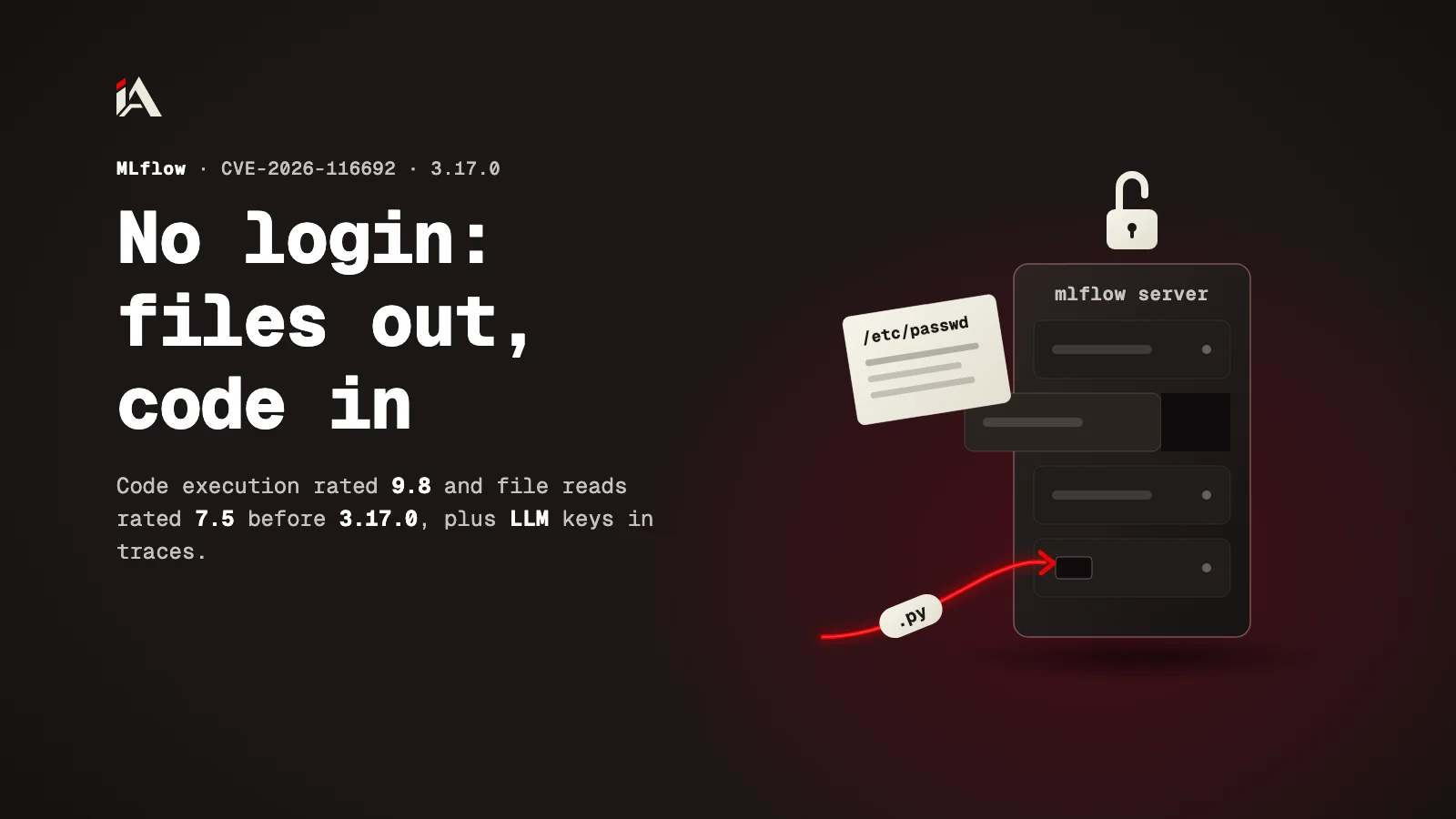
If your team runs an MLflow server to track experiments and models, and someone can reach that server over the network without signing in, two flaws let them read the server's files or run code on it. Here you will find out what version 3.17.0 fixed, who is exposed, and what to do today.
Which flaws did MLflow 3.17.0 fix?
MLflow is an open source platform for tracking machine learning experiments and registering models. On October 27, 2026 three of its security advisories were added to the GitHub Advisory Database after review, all fixed in 3.17.0:
Advisory | What it does | Severity | Affected versions |
|---|---|---|---|
CVE-2026-116692 | Code execution on an unauthenticated server through scorer deserialization | Critical, 9.8 | From 3.12.0rc0 up to, but not including, 3.17.0 |
CVE-2026-116690 | Arbitrary file read on an unauthenticated server through a prompt model version source | High, 7.5 | From 3.10.0 up to, but not including, 3.17.0 |
CVE-2026-116691 | CrewAI autologging writes LLM provider keys into traces | Moderate, 6.5 | From 2.19.0 up to, but not including, 3.17.0 |
The scores are CVSS 3.1. The advisories themselves were published earlier in the MLflow repository, between October 9 and October 13, 2026.
How does an attacker read the server's files?
CVE-2026-116690 lets a remote attacker read any file the MLflow server process can reach, on a tracking server without authentication. The advisory says that is the default for mlflow server.
The attacker creates a model version tagged as a prompt whose source is a local path with no scheme. The code did not validate such a path in the prompt branch, and the get-artifact endpoint then serves the file with the server's privileges.
The advisory gives examples: /etc/passwd, the SQLite authentication and tracking databases, and shell history files. On a server running with --app-name basic-auth, any signed-in user who can create a registered model can read the authentication database, including the admin password hash.
How does an attacker get to code execution?
CVE-2026-116692 lets an attacker with HTTP access run Python code as the MLflow server process. It started with third-party scorer support in 3.12.0.
The server accepted a Python module path in the request if it started with one of four allowed package prefixes, and imported it. The check accepted any module below those packages, so according to the advisory the chain goes like this:
The attacker creates an experiment whose artifact location points into a writable allowed scorer package.
They create a run, which allocates an artifact directory inside that package.
They upload a Python module into that directory.
They submit a serialized scorer that references the uploaded module.
They call the scorer invocation endpoint, and the server imports and runs the module.
The code runs before the server finishes the request, so it executes even if the request fails later. In the stock image used for the reproduction, the server runs as uid 0. The condition is that the server can write beneath an allowed scorer package; a read-only container filesystem blocks this path.
Why are LLM keys at risk too?
Because mlflow.crewai.autolog() copied CrewAI's LLM provider keys into trace data without being asked to (CVE-2026-116691). Anyone with access to the trace storage, or to the OTLP destination it exports to, gets the key.
The update does not remove what was already written. The advisory says to rotate any provider key held by a CrewAI LLM while autologging was on, and to delete or redact the affected traces. We covered keys leaking out of an AI tool before with the LiteLLM compromise.
If you need to rotate several keys in a row, the steps for rotating secrets after a leak are in our article on the Railway breach.
Where do you start now?
Start with the version, then with who can reach the server without an account.
Run
pip show mlflowon the server and check the version.Update to 3.17.0 or later.
If the server is open without login, put it behind authentication or an internal network, since the file read and code execution work without an account.
If you use CrewAI autologging, rotate the provider keys and clean the traces. If you can't update, turn it off with
mlflow.crewai.autolog(disable=True).Run the MLflow container with a read-only filesystem if you can.
If you have internal tools like MLflow open to the internet and want to know what an attacker sees in them, that is the job of Muhassan.
All our AI articles are in one place: AI articles.
FAQ
Does an MLflow server run without login by default?
Yes. The file read advisory says a tracking server without authentication is the default for mlflow server, so anyone who can reach it over the network can send it requests.
If I use basic-auth, am I safe from the file read?
No. According to the advisory, any signed-in user who can create a registered model can read the authentication database, including the admin password hash.
Does updating to 3.17.0 remove LLM keys already written into traces?
No. The update stops new leaks only. The advisory says to rotate any provider key held by a CrewAI LLM while autologging was on, and to delete or redact the affected traces.
What blocks the code execution chain if I can't update today?
According to the advisory, a read-only container filesystem, or an allowed scorer package directory owned by a different user that cannot write to it, blocks the file placement. The full fix is 3.17.0.